
Skip to content
Porchlight by Marketomic

Hours of work. Minutes on your phone.

Hours change. The kitchen runs out. Weather closes the road. Fix it from your phone, between customers, and your customers see it right away. Watch four everyday tasks, then try them yourself on The Spare Room, a made-up venue.

The Studio · Venue Max
Your band photo, made into tonight’s poster.
Ready for Google and Facebook.

What you change · Every plan

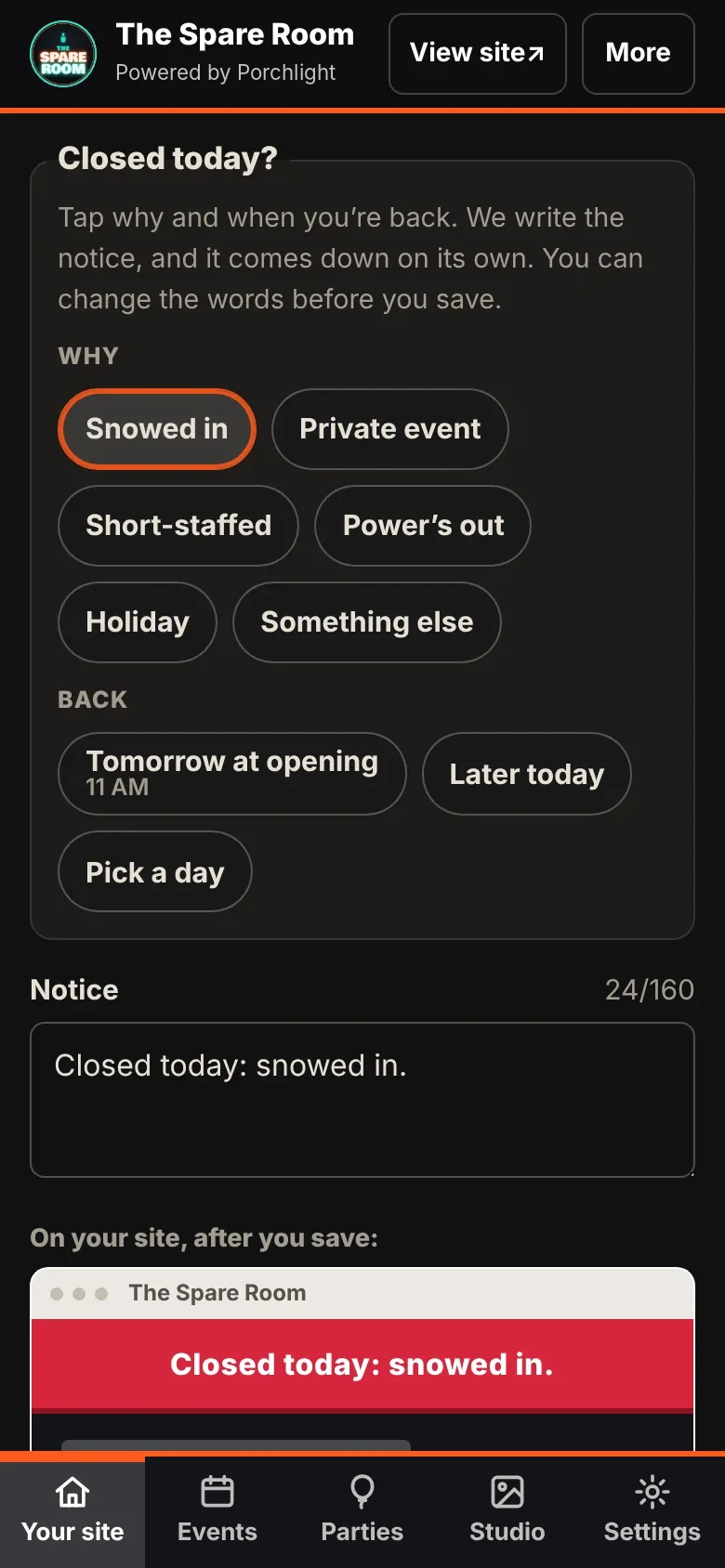
Real Porchlight owner-manager capture showing the closed-today notice controls
Captured Porchlight screen with sample content
Every plan

Close for today. Back tomorrow.

Choose a reason and when you are back. Check the notice, then save it to your site.

A notice your customers can read.

The notice appears on your site and expires when you say. On Connected and up, supported Google changes use your connected listing, Facebook hours are ready to paste, and an email to your list waits in your Inbox for you to send.

Try this in the owner manager

A made-up venue. Your private copy. No real posts or emails.

Explore every feature
Porchlight on your desktop

Phone at the counter. Laptop for the big stuff.

Same login, phone or laptop.
Switch any time.

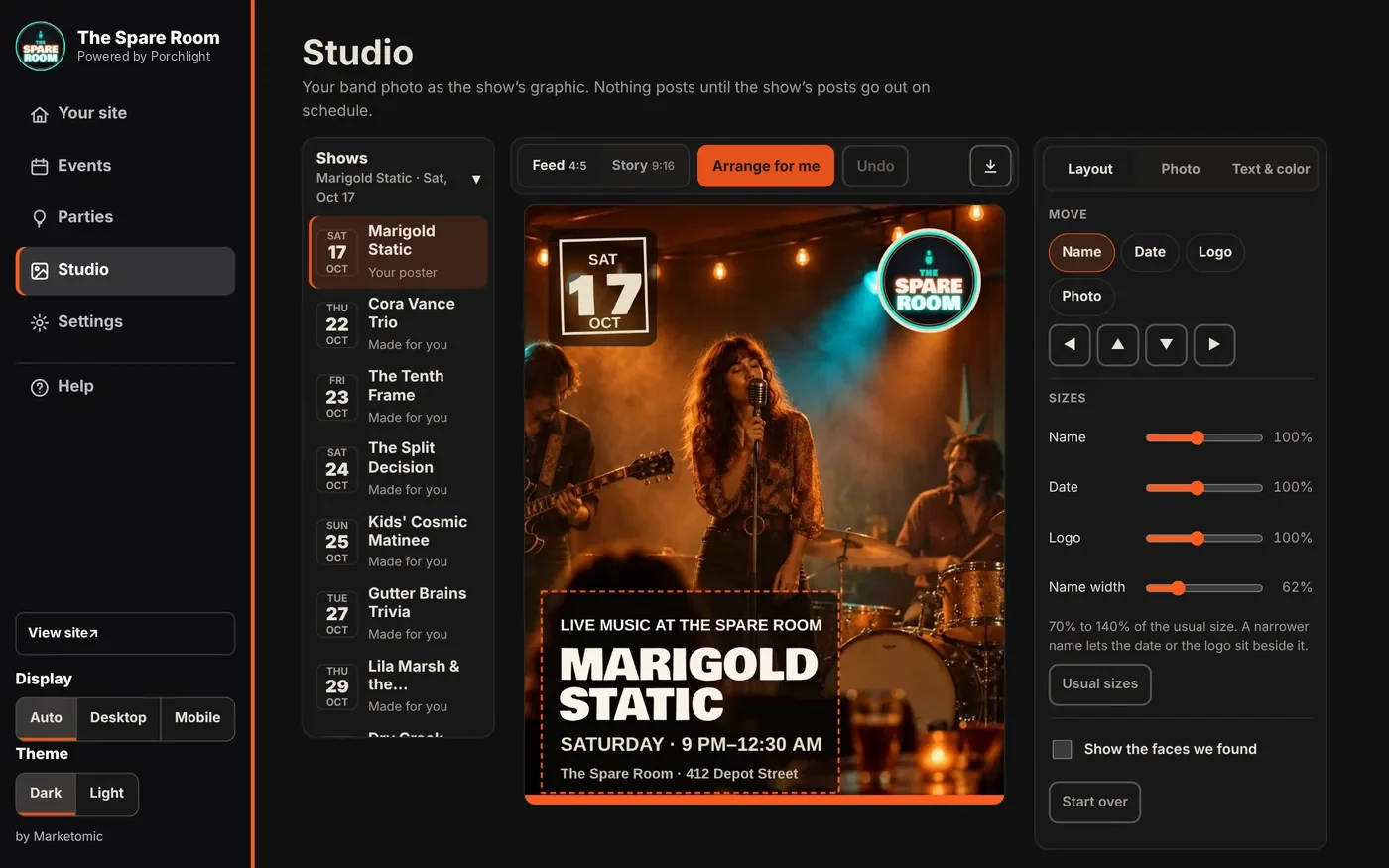
Everything you do from your phone works on a laptop too, with room to work. Your lineup and the show you’re editing sit side by side, and the Studio opens as a full workspace: pick a show, drop in your band photo, and Arrange for me moves the name, the date and your logo off the faces.

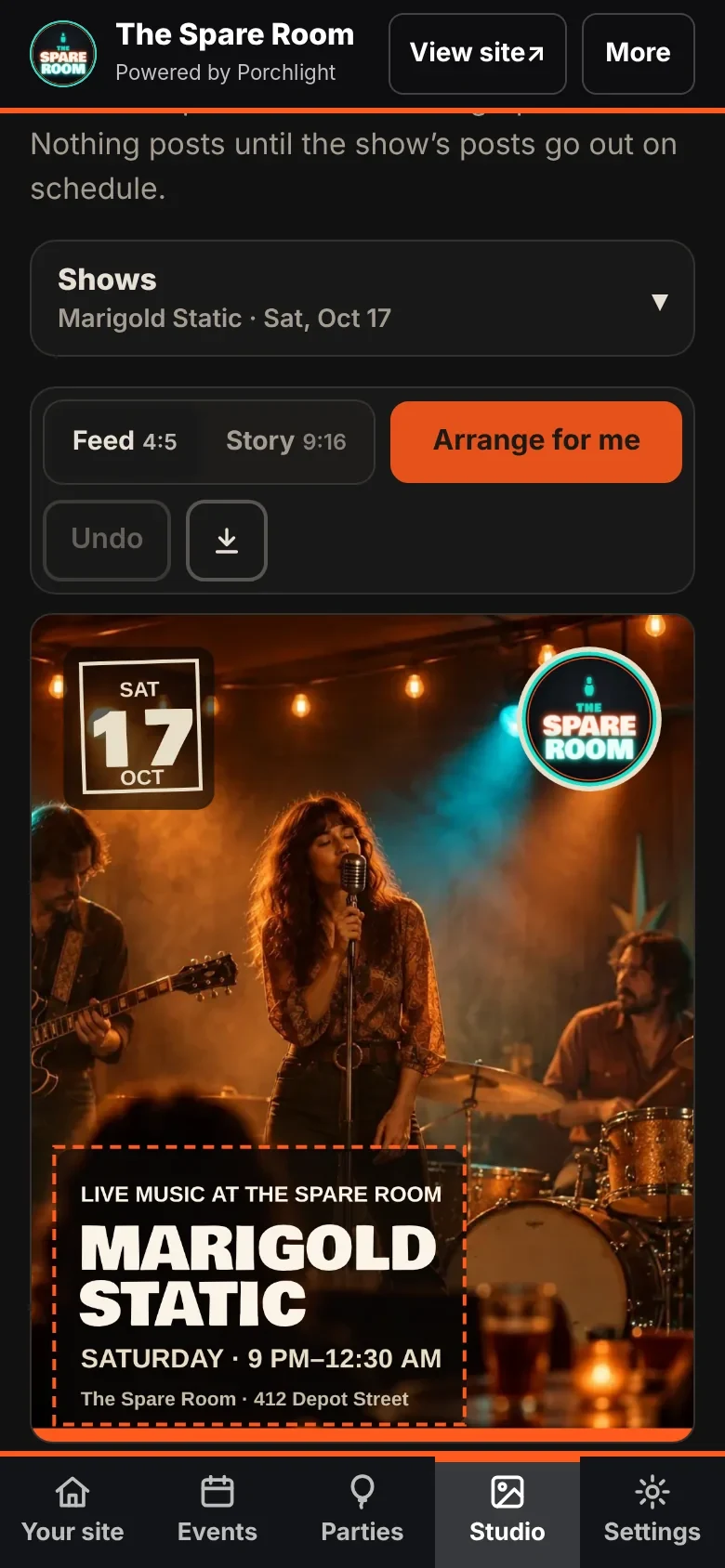
The Porchlight Studio on a laptop: the shows on the left; in the middle a toolbar (Feed or Story, Arrange for me, Undo, Download) over a band photo turned into a show poster; on the right the tools in three tabs: Layout, Photo, and Text and color.
The StudioVenue MaxYour band photo becomes the show’s poster. Every word comes from the show. Fix the photo, pick the colors, drag anything. Feed and Story sizes.
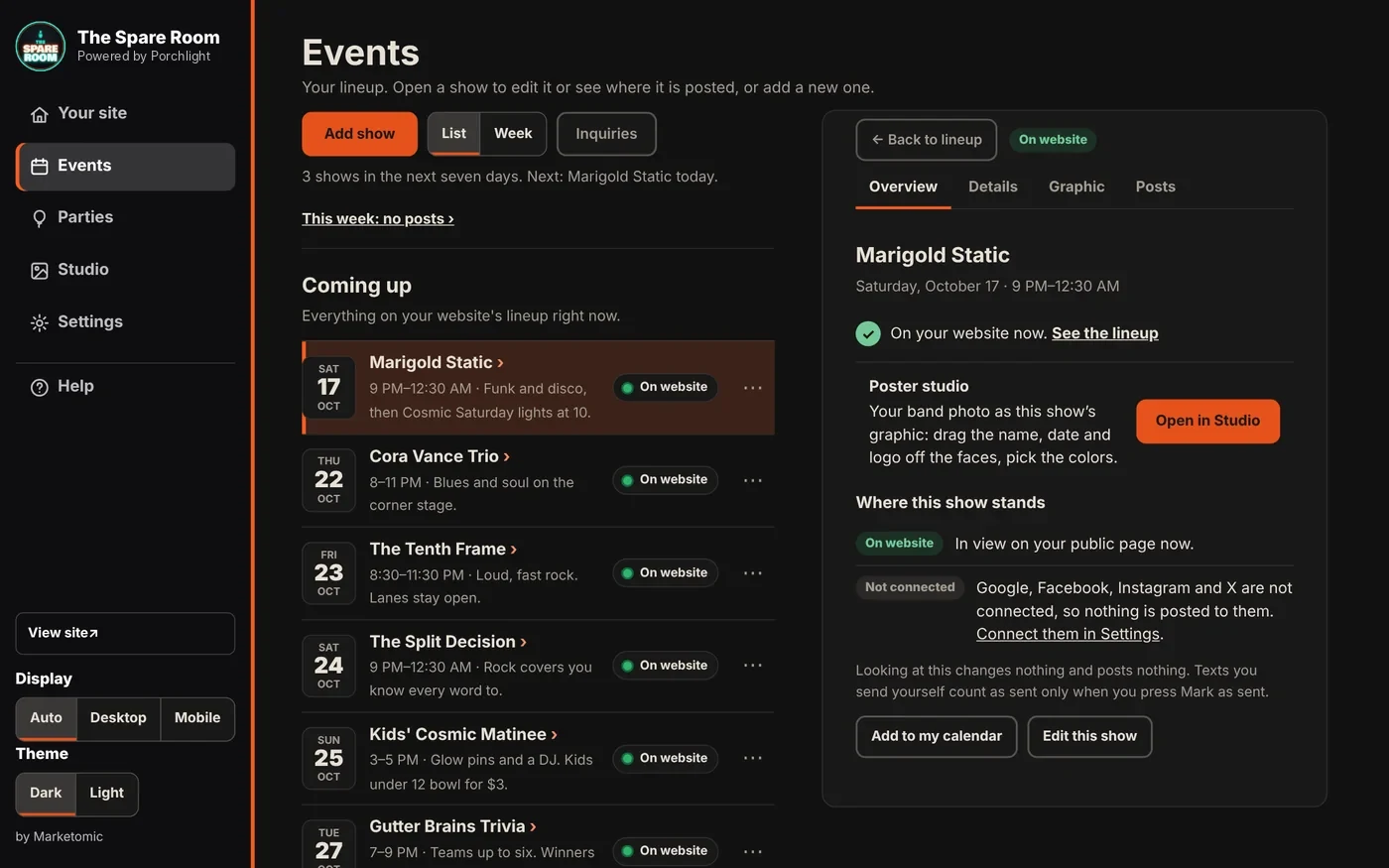
Porchlight Events on a laptop: the lineup on the left and the open show on the right, with its poster studio link and where the show stands.
EventsVenue and upThe lineup and the show you’re editing, side by side: where it’s posted, what’s left to send, one click to the Studio.
  • Lineup and editor side by sideNo back-and-forth between screens. Open a show, change it, open the next.
  • Every Studio tool beside the posterArrange for me, sizes, photo fixes and colors in three tabs right next to the poster, which stays in view while you work.
  • Same account, any screenStart on the phone at the bar, finish on the laptop at home. It saves as you go.

Real Porchlight screens, shown with sample shows and a sample photo.

Monthly on every Venue plan · twice a year on Connected

See what it did. Every month.

A short report in plain words, from your own site, your Google listing and what you changed in the manager.

  • Call actions, direction requests and inquiries
  • How they found you, and what they searched
  • Your updates alongside the visit timeline
  • Three things to do next
See a sample report
Everything in Porchlight

Every feature, in plain words.

Each one is labeled with
the plan where it starts.

Always right

  • Live open / closed statusEvery plan

    “Open now · until 11 PM” or “Closed · opens tomorrow at 11,” worked out on the visitor’s phone from the hours you set.
  • Closed-today bannerEvery plan

    Pick a reason, tap once. It goes across the top of your site and takes itself down tomorrow.
  • Lunch, kitchen and takeout hoursEvery plan

    Separate hours for lunch, dinner, the kitchen, takeout or happy hour, each on its own days. Split shifts are fine.
  • Specials that expire themselvesEvery plan

    Set a special for today, a date range or certain days. No leftover “Tuesday special” in March.
  • One tap to call or get thereEvery plan

    Call and directions sit in a bar at the bottom of the phone screen, on every page.

Changed from your phone

  • The owner managerEvery plan

    Hours, holiday hours, contact info, menu and prices, specials and weekly nights. Changes show on your site within a minute.
  • Snap the boardConnected and up

    Photograph the tap wall or menu board. Beers, ABV, items and prices are read from the photo; you check them and publish.
  • Upload the menuConnected and up

    Long menu? Upload the PDF or document and it’s read the same way.
  • Ran out? One tapEvery plan

    Special gone, keg kicked: take it down and it’s off the site at once.

Found everywhere

  • Fast on a phoneEvery plan

    Built to Google’s speed rules and checked with Google’s mobile test before every launch, for slow mountain cell service.
  • Readable by Google and AIEvery plan

    Menu, hours and services written as real text, with the business details Google reads, matching your Google listing.
  • Google listing fixed at setupEvery plan

    A one-time pass to get your Google listing right, included in every setup.
  • Your Google listing, in stepConnected and up

    Hours, closures and details change on your website and your Google listing together. Facebook gets the same hours ready to paste.
  • Replies to your Google reviewsConnected and up

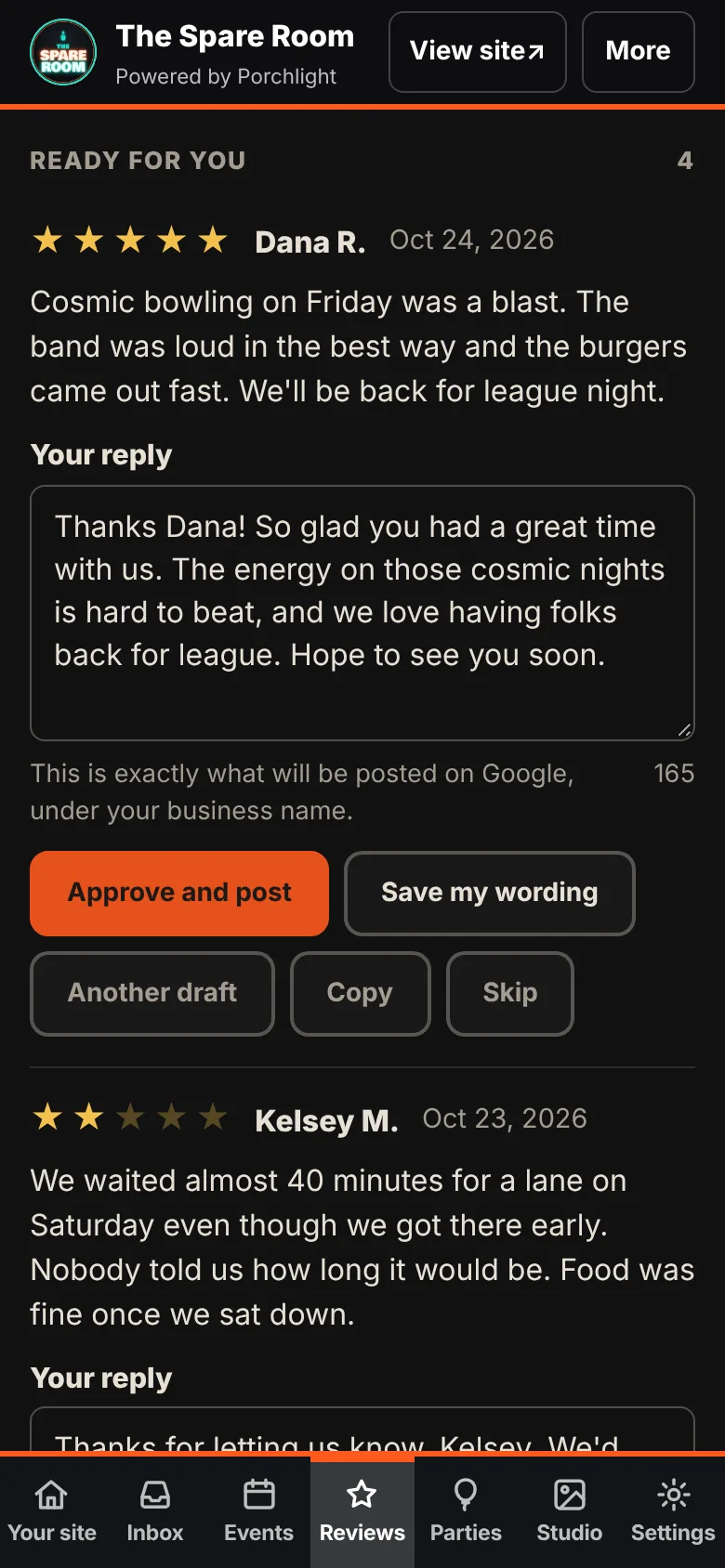
    A new review comes in with a reply already drafted in your voice. Change what you want, then tap to post it. Nothing posts without your OK.

Your customers, by email

  • The email is already writtenConnected and up

    Closed for snow, a new dish, a change in hours: post it, and a ready-to-send email waits in your Inbox. Check it and send it, or skip it. Nothing goes out on its own.
  • Your own email listConnected and up

    A signup box on your site. People who want your news leave a first name and an email. The list is yours to download any time.
  • From your business, to your inboxConnected and up

    Emails come from your business name and replies come straight to you. Every one carries your address and a one-tap unsubscribe.

Shows and events

  • The event deskVenue and up

    Enter the act, date and time once. It’s on your lineup, labeled as an event for Google; tonight’s show flags itself, past shows drop off.
  • A poster for every showVenue and up

    In your colors with your logo, plus this week’s lineup as one graphic and one post.
  • Text written for youVenue and up

    Ready-to-paste copy for your Google listing, Facebook event and local listings.
  • Weekly regularsVenue and up

    Open mic every Thursday, entered once. Cancel or change any single week.
  • Add to calendarVenue and up

    Customers save a show to their phone’s calendar in one tap.

Bookings

  • Band inquiriesVenue and up

    Bands send a date and a link from a form on your site. It lands in your inbox with the date already checked.
  • Book with one tapVenue and up

    Book the band and the show is on your lineup. Pass, and a polite no is ready to send.
  • Private partiesVenue and up

    Party inquiries land in the same desk. Booked parties block the calendar and never show publicly.
  • Booking logic that fits your roomVenue and up

    Your calendar flags real conflicts and leaves the final call to you. Waiting inquiries never block each other, same-time bookings get flagged, and “Book it anyway?” keeps you in charge.

Promotion and the AI studio

  • Promo on scheduleVenue Pro and up

    Every show gets an announcement, a reminder and a day-of post, published to Google and social on the schedule you set.
  • Posts in your voiceVenue Max

    Drafted from your facts and the way you write. You approve before anything goes out.
  • Weekly content packVenue Max

    The week’s posts and graphics, reviewed on one screen.
  • Posters and show clipsVenue Max

    Made from your real band photos, not invented images.
  • Booking inbox assistantVenue Max

    Sums up each inquiry, checks the date and drafts the reply.
  • The Green RoomVenue Max

    Every band that plays your room, in one place. Send one link to get their photos, bio and video, and OK what goes on your site.

On every plan

  • Designed from your place, not a template
  • Your own domain
  • Your content, always yours; after 12 months the site files are yours to take
  • Built to accessibility standards
  • Check-ins by email, with a short automated report from Connected up
  • A working draft of your site before you pay
Now you drive

Run The Spare Room yourself.

A working site with a working owner’s phone. Open the owner’s phone, change the hours, and watch the site change. Add a show. Book a band from the inbox.

Open the demoA made-up venue. Nothing you do there posts anywhere.
Which plan fits

Start with your business. Choose the tools you need.

Compare all five plans
Free · Front Door Check

What do customers see when they look you up?

Your Site Check on screen in about 30 seconds. The full hand-checked report on your Google listing, Facebook and the directories, in your inbox within 48 hours.