Stop Typing the Same Show Into Five Places
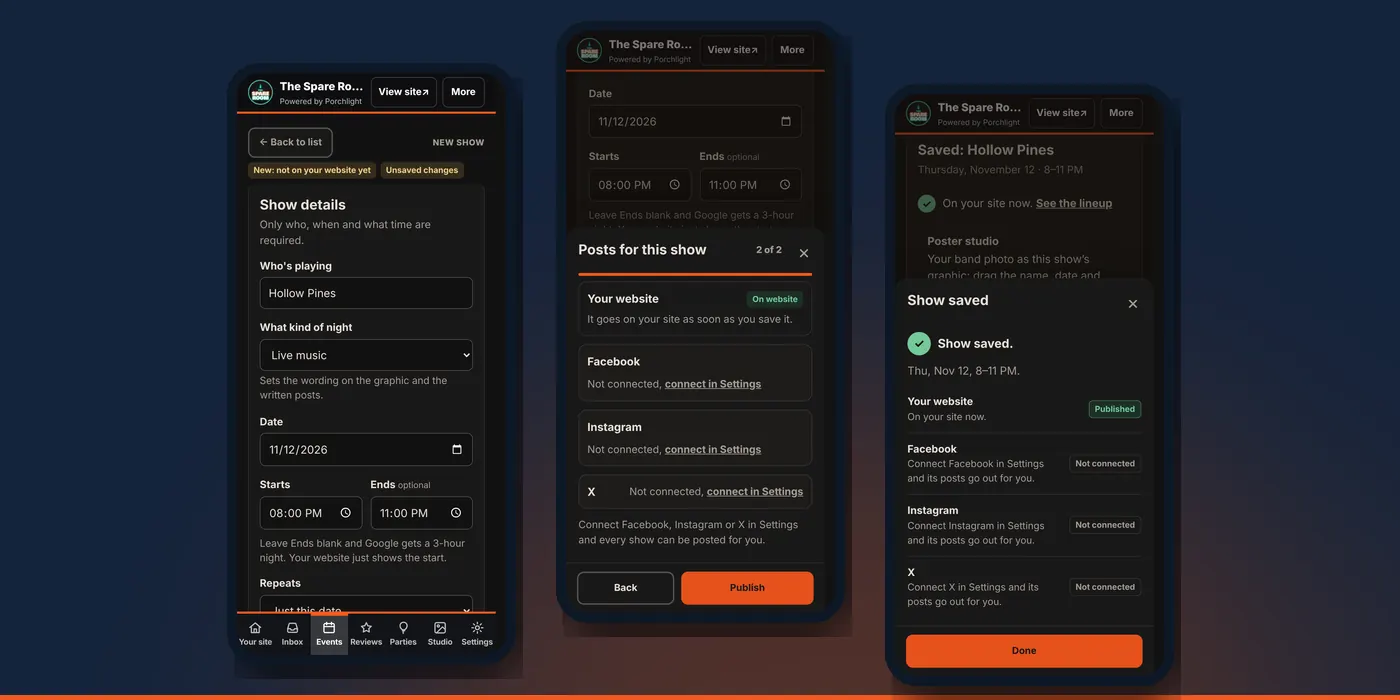
Enter a show once: who, when and what time. Your website lineup, the show graphic and the written posts all come from that one entry.
Venue and up · Scheduled posts on Venue Pro and up
In this article
Booking a band is the easy part. Then the date goes on the website, a graphic gets made, a Facebook post gets written, someone emails the paper, and when the time changes, all of it has to change again. Most venues end up with a website that's two weeks behind the chalkboard.
In Porchlight, the show itself is the one record. Everything else is made from it.
Add a show
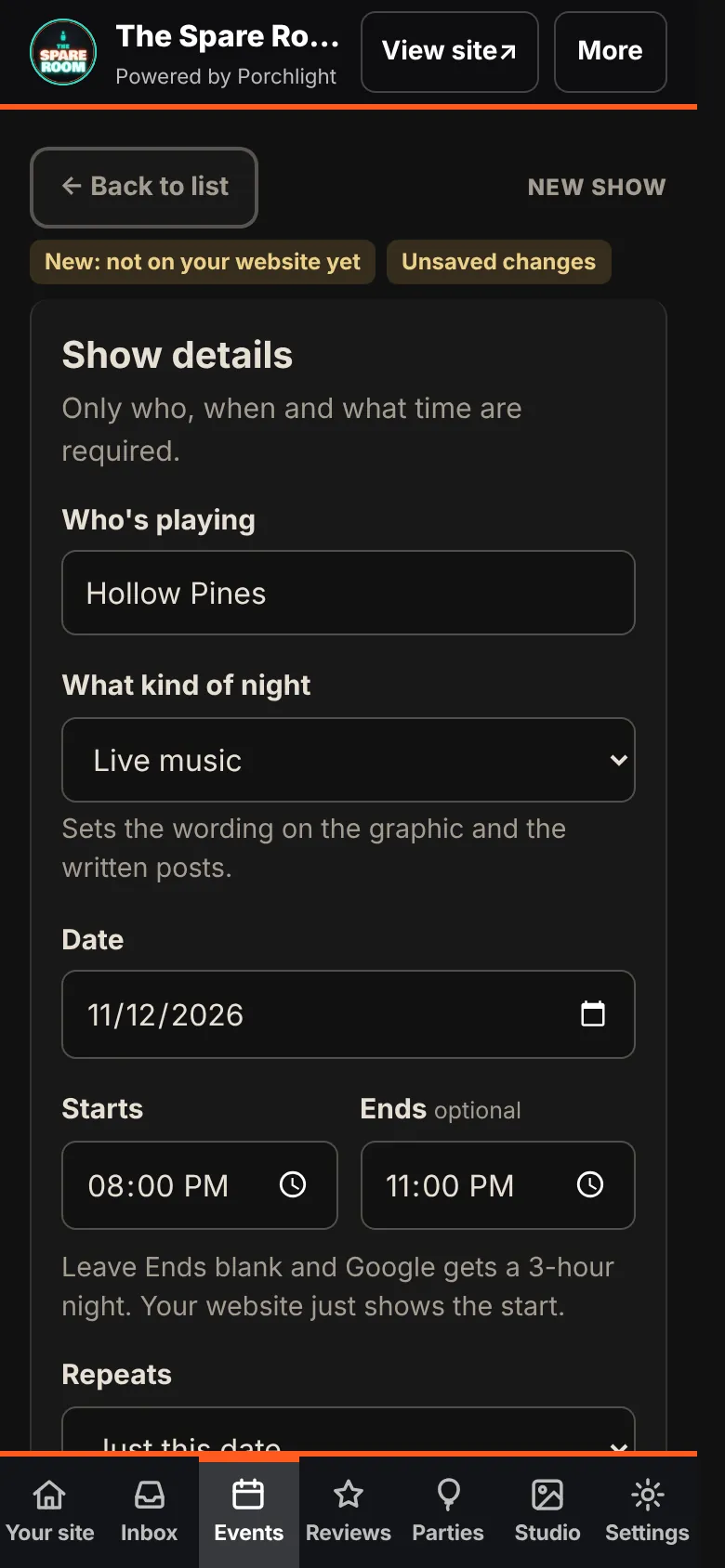
1. Open Events. Tap Events at the bottom of the manager, then Add show.
2. Fill in who, when and what time. Who's playing, Date and Starts are all that's required. What kind of night (live music, trivia, open mic and so on) sets the wording on the graphic and in the posts.
3. Add an end time if you know it. Leave Ends blank and your website shows only the start; Google gets a three-hour night.
4. Repeating? Repeats covers the same day every week for 4, 8 or 12 weeks. Each week shows up on its own, so you can cancel one without touching the rest.
5. Optional extras. Add a note, link or poster takes a one-line detail, a band photo or poster, and Links for this act (their website, Spotify, Instagram and so on). Pick one as the Main link: it's the one in your posts and on your site.
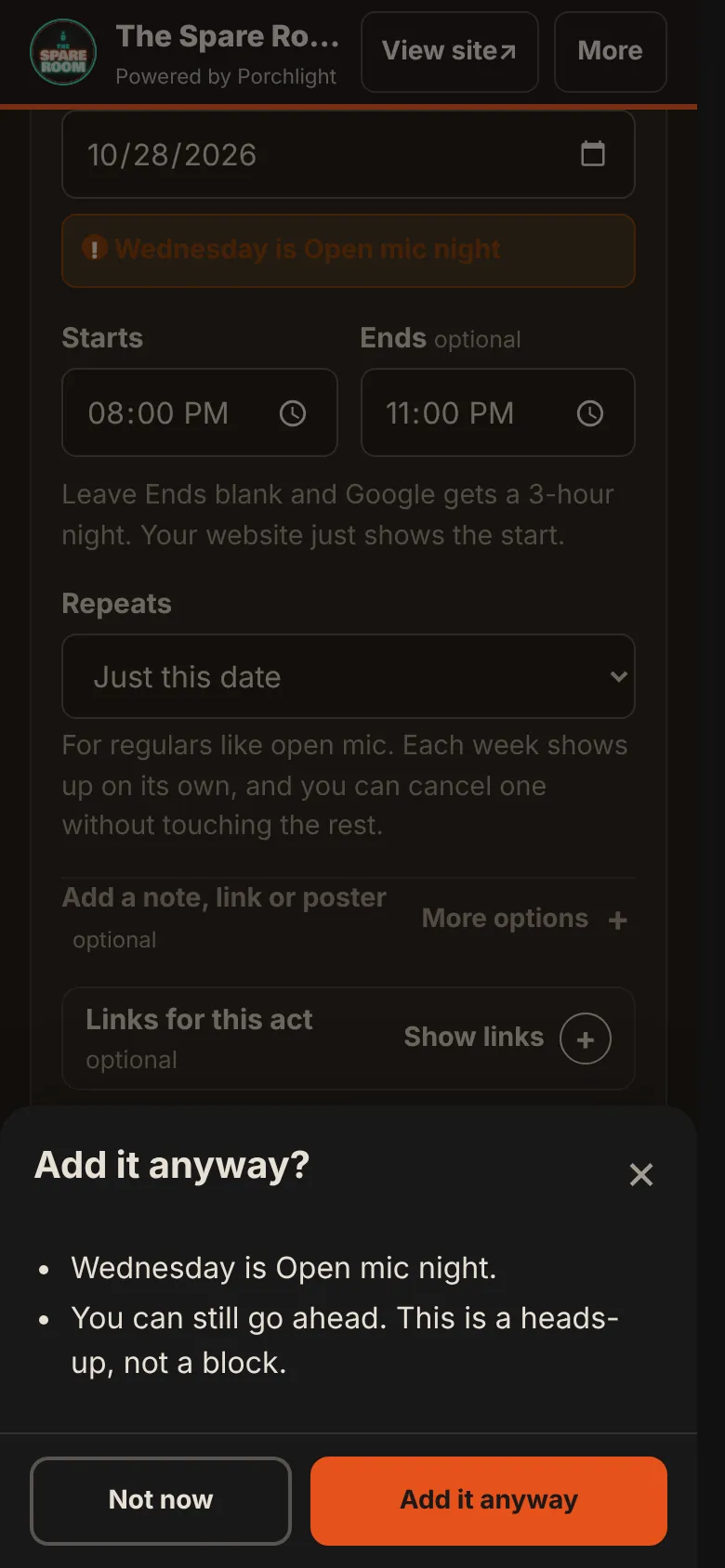
If the date runs into something already on your calendar, such as a weekly night or another show, the manager tells you before you go on. It's a heads-up: Add it anyway if you meant it.
Publish it
Tap Publish show. Nothing is created until the last step, so you can still go back.
1. Check the details. The show read back to you: what, when, where, links and poster. Edit takes you back to the form.
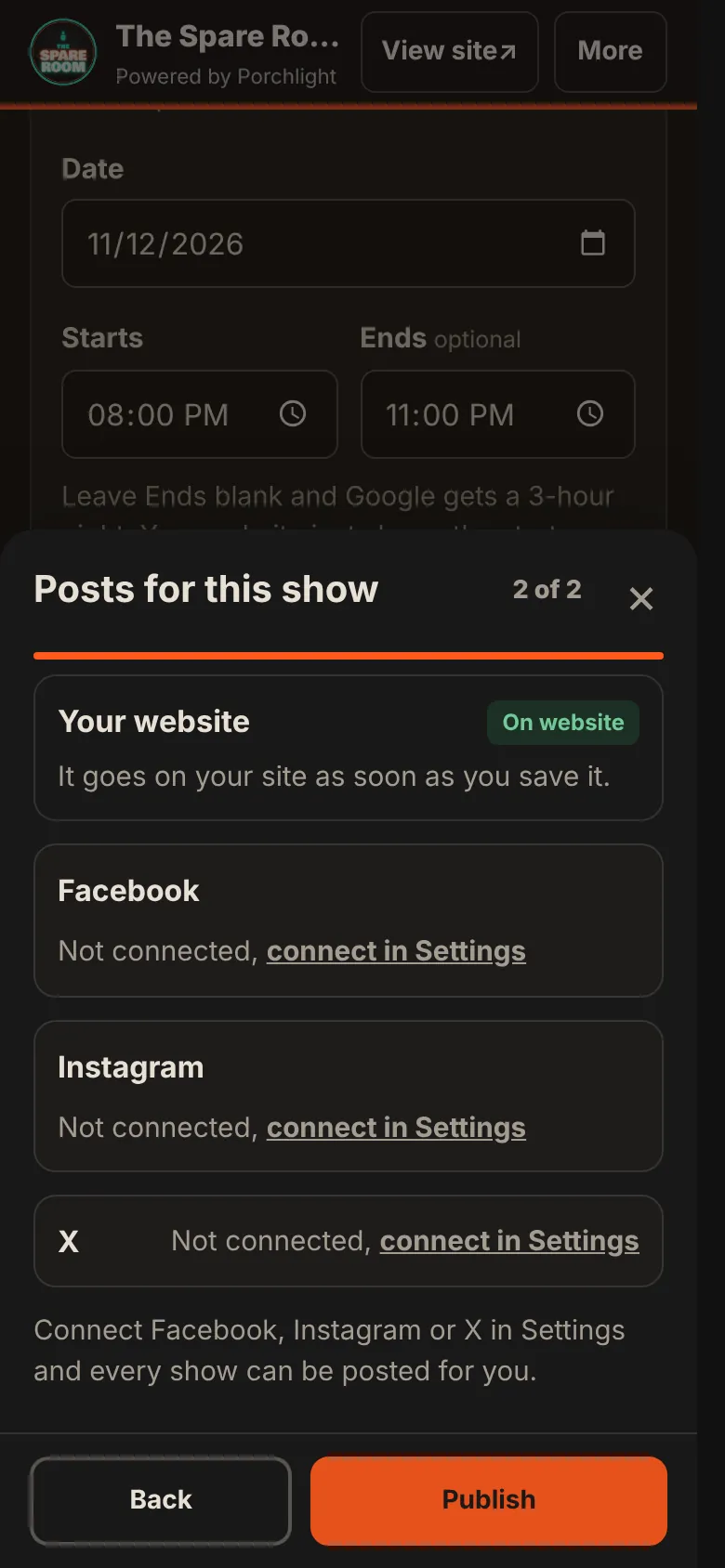
2. Posts for this show. Where the show will appear. Your website says whether it goes on now or later. Your site shows a set number of upcoming shows, so a show far ahead may wait in line until its turn. Then each of Facebook, Instagram and X, connected or not.
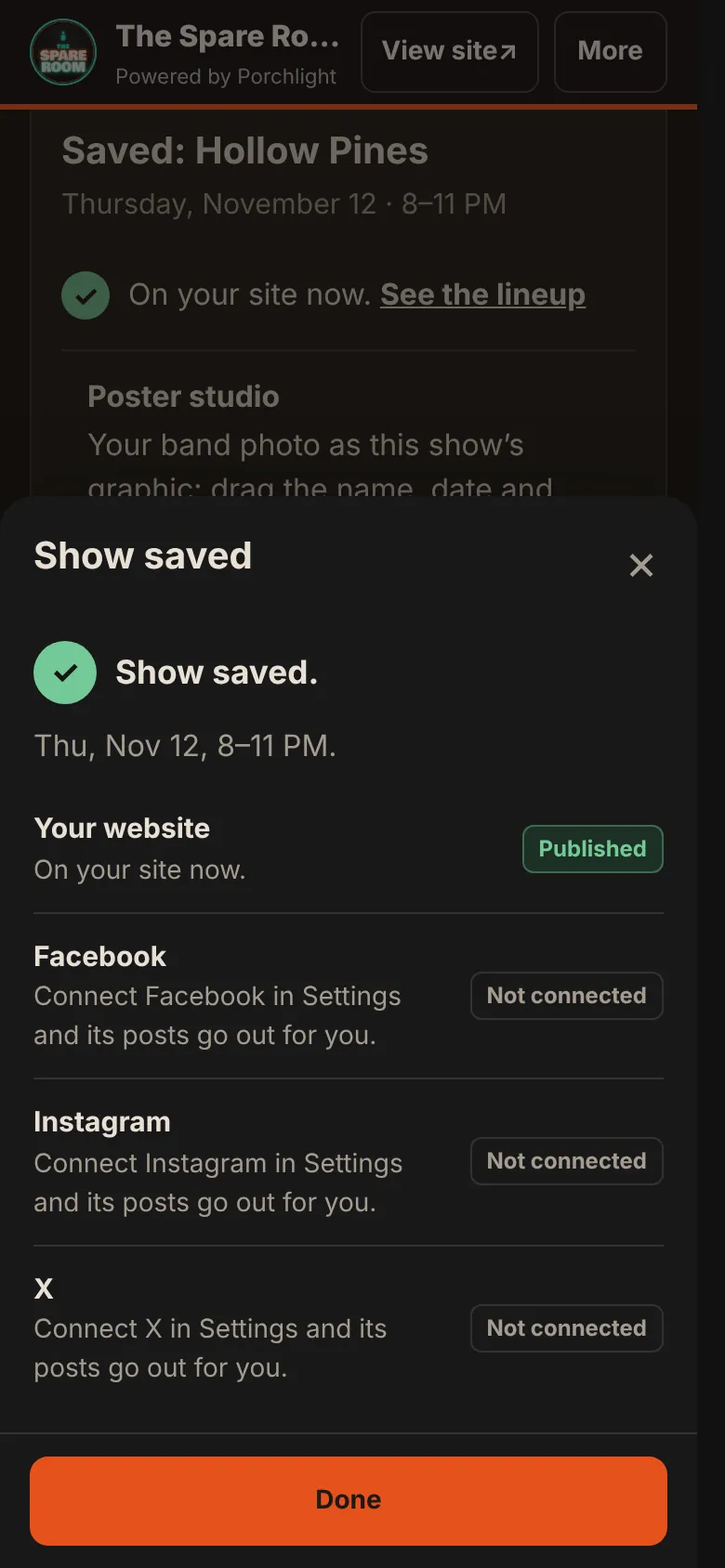
3. Tap Publish. The Show saved sheet tells you where it stands on your website, and what happens with each place.
The graphic and the posts
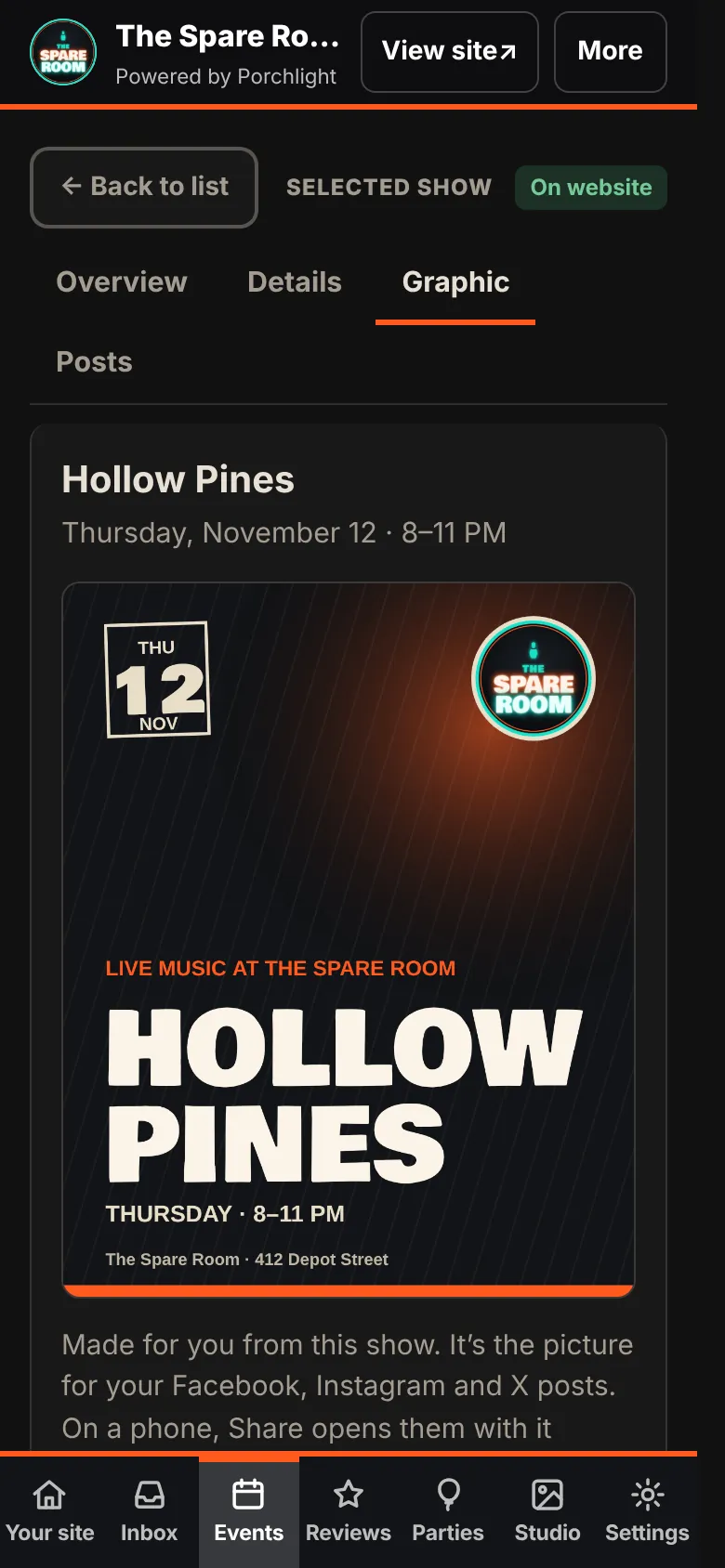
Every show gets a graphic made from its details, with your logo and colors. No design work and no band photo needed. Open the show and tap Graphic: Save graphic puts it on your phone, and Share graphic opens your apps with it attached. Use my own picture swaps in a poster or band photo for that show only. On Venue Max, Open in Studio lets you arrange the name, date and logo over your band photo.
On Venue, the posts are written for you and ready to copy. On Venue Pro and up, with Facebook, Instagram or X connected in Settings, the posts you saw before publishing are scheduled: an announcement ahead of time and a day-of post. Each one is listed under the show's Posts, where you can change the words or the time, or turn it off. If you'd rather approve every post before it goes, switch on Posts wait for my OK in Settings.
When something changes
Open the show, tap Edit this show, and change it. Before it saves, What this changes lists what will be updated: your website, posts that haven't gone out yet, and posts that already went out. Those can't be edited, so you're offered an update post instead. Canceling works the same way.
What this doesn't do
It doesn't create a Facebook *event*, post to a Facebook group, or send anything to the local paper on its own. Nothing posts until the show is published, and every post can be changed or switched off first.