How to Email Your Regulars When Something Changes
Post the change on your site, and the email to your list is already written. You check it and send it, or skip it.
Connected and up
In this article
When the road closes, the power goes out or the holiday hours change, your website is the first place to fix. But the people who care most, your regulars, aren't checking your website every morning. An email reaches them where they already look.
Most small places never keep a list because writing the email is one more job on a bad day. Porchlight writes it from the change you just made, and leaves the sending to you.
How people get on your list
Your site has a Get updates by email box. Someone leaves a first name and an email address, and gets a welcome email straight away. That's it: no password, no account.
If you don't see Email list under Your site in the manager, ask us to switch the sign-up box on.
When an email is waiting for you
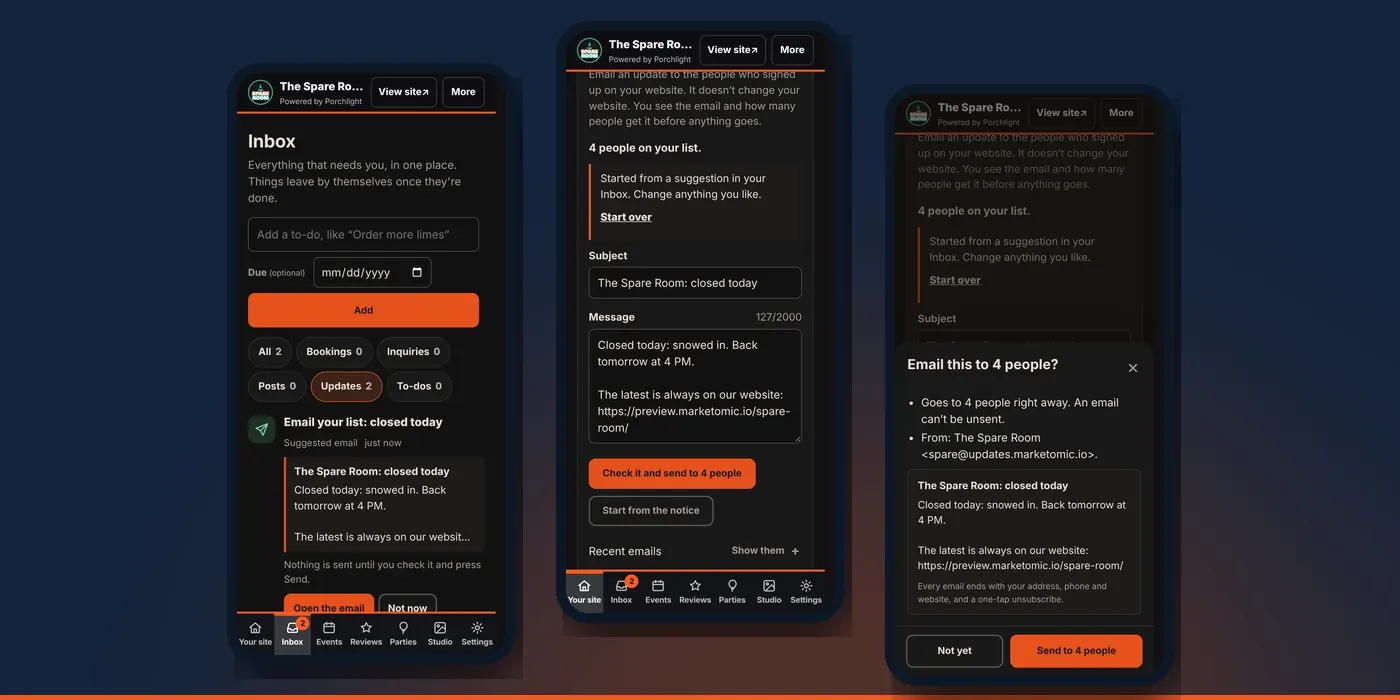
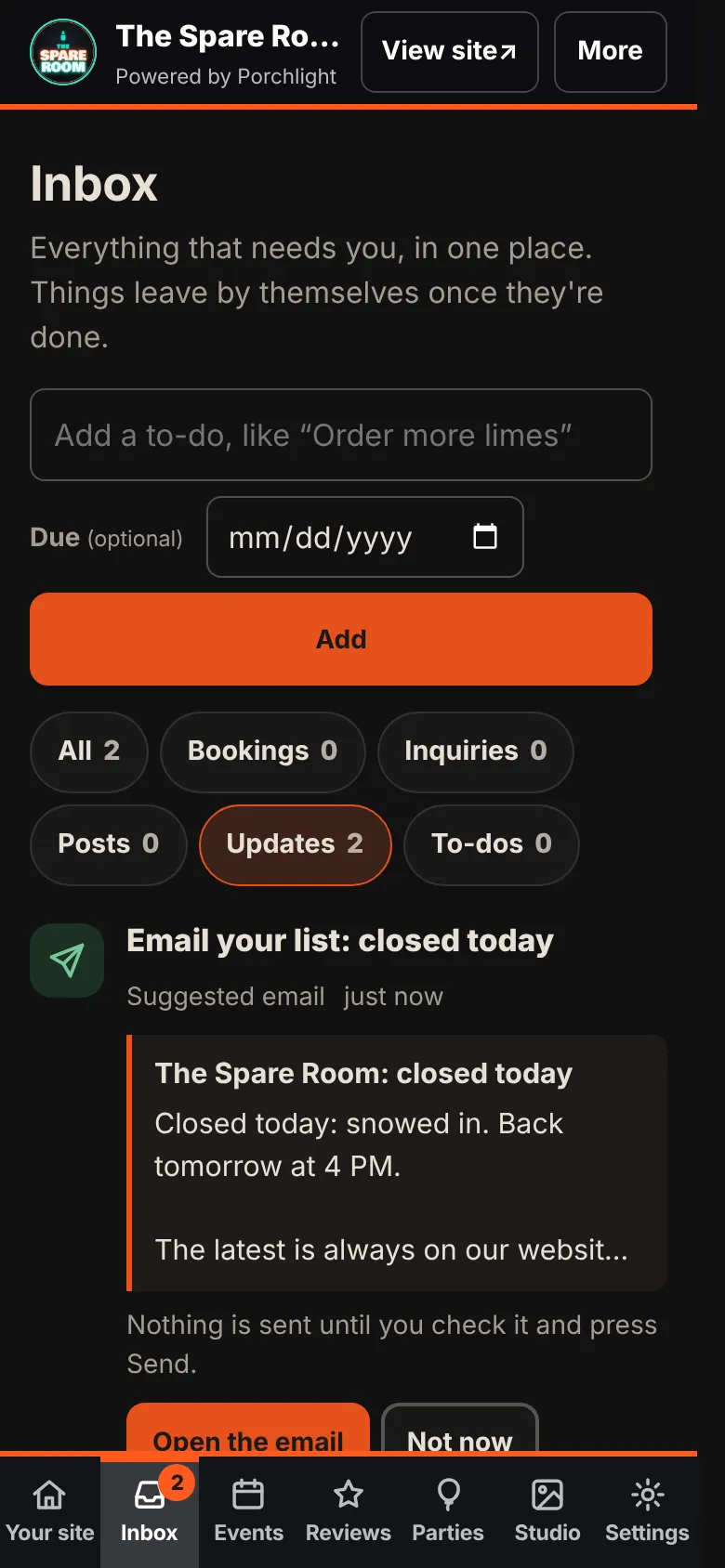
Some changes are worth telling your list about. When you save one of them, a suggested email shows up in your Inbox, under Updates:
- a notice at the top of your site, or new words in it
- Close for today
- temporary hours, such as a holiday week
- a change to your normal weekly hours
- a new dish on the menu
Each suggestion shows the subject and the message, with a link to your site at the end. Tap Open the email to use it, or Not now to let it go. A suggestion goes away by itself after two days, or as soon as it's out of date.
Send it
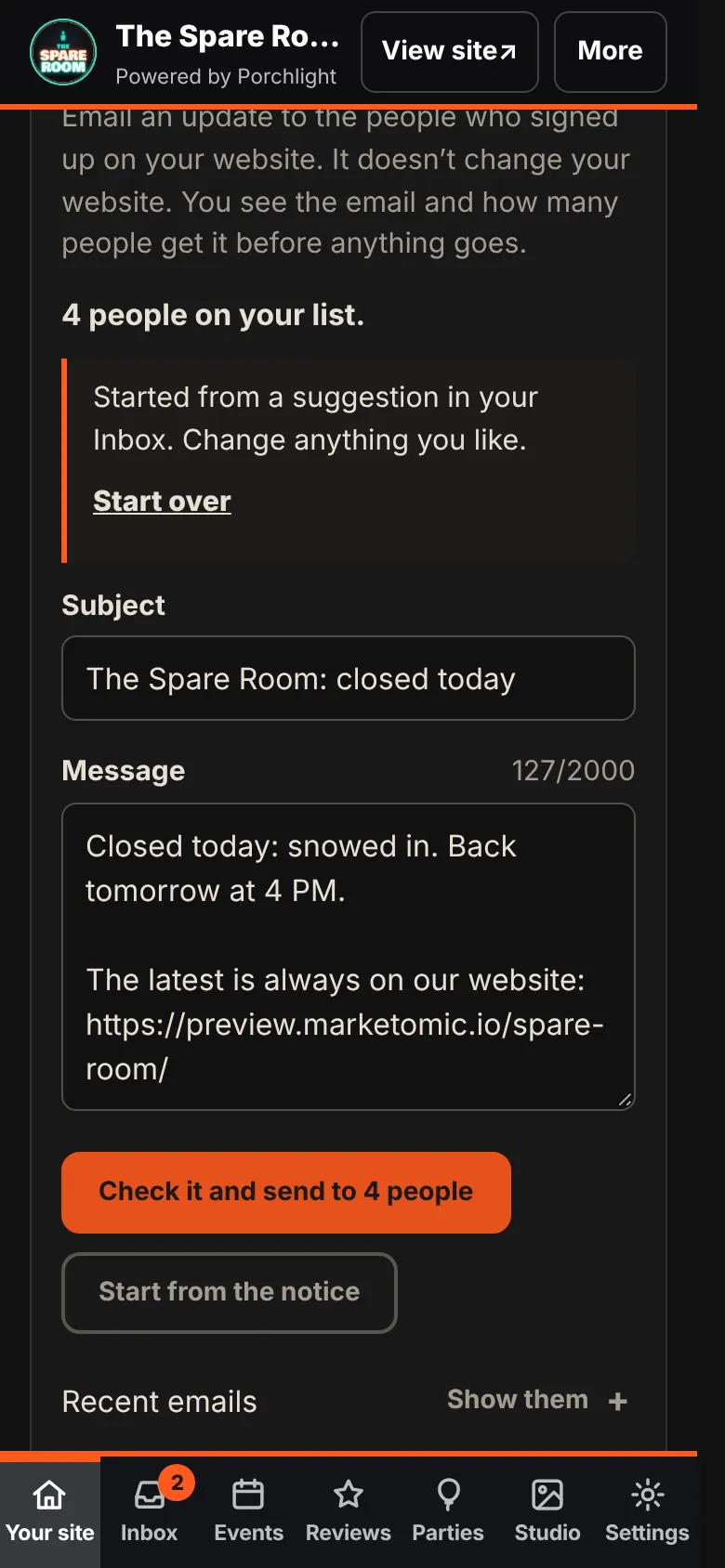
1. Open the email. It opens Email list with the subject and message filled in. Change anything you like.
2. Tap Check it and send. The button says how many people will get it, for example Check it and send to 4 people.
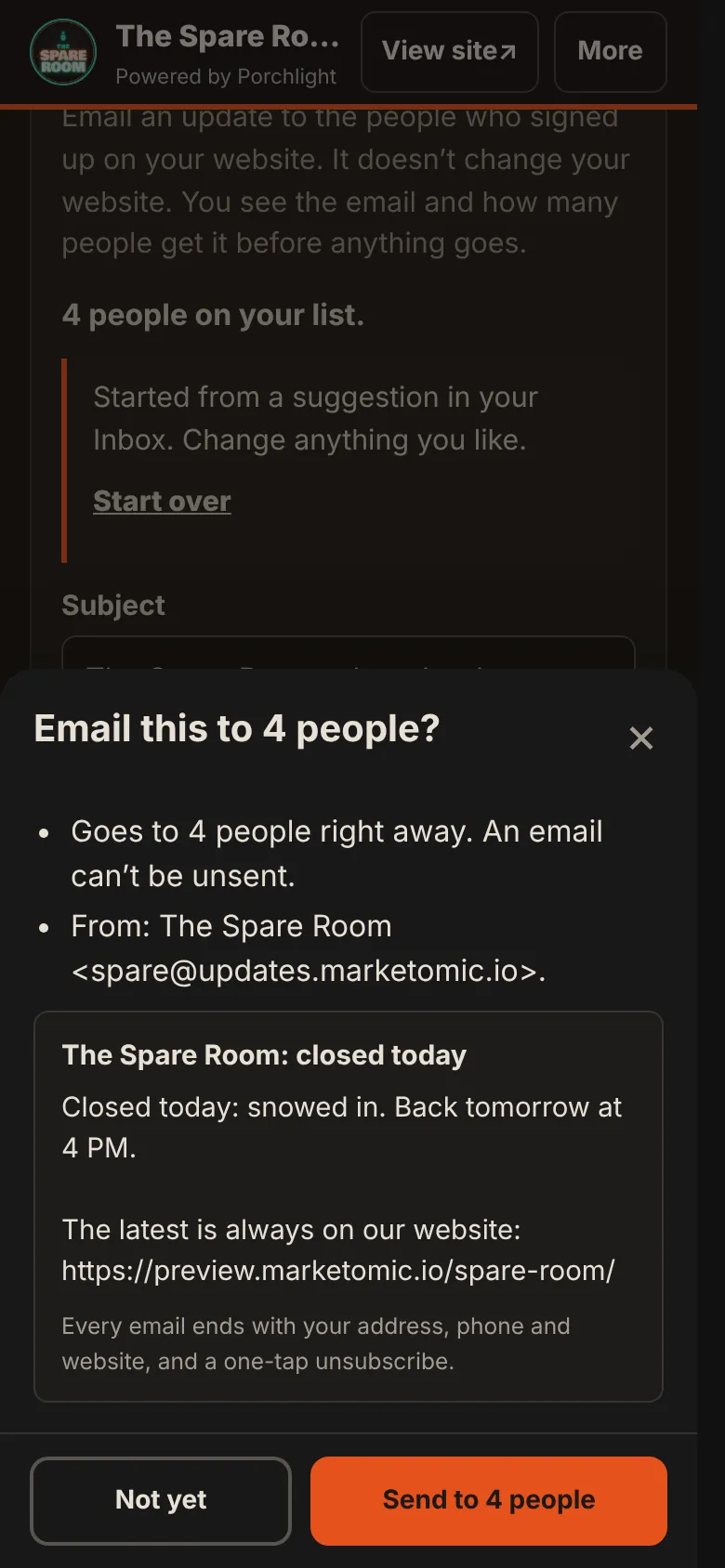
3. Read the check. You see who it's from, the email itself, and how many people it goes to. Every email ends with your address, phone and website, and a one-tap unsubscribe.
4. Tap Send. Or Not yet if you want another look.
An email can't be unsent, so the check is the moment to catch a wrong date. Recent emails lists what went out, when, and how many people it reached.
Write your own
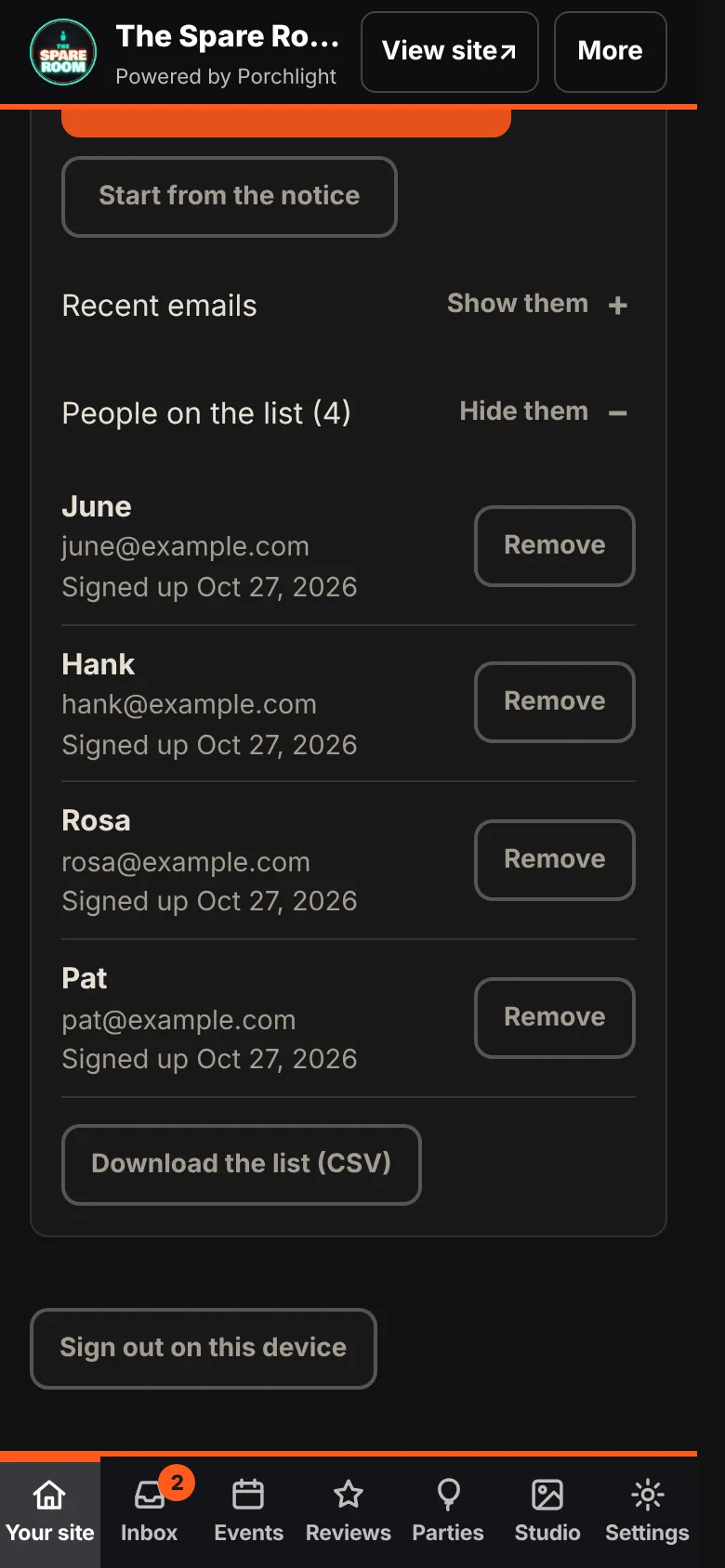
You don't need a suggestion. Open Email list under Your site, type a subject and a message, and send it the same way. Start from the notice copies whatever is at the top of your site into the email, so you only write it once. On the Notice section, Email it to your list does the same.
Who's on your list
People on the list shows each person's first name, email and the day they signed up. Remove takes someone off; they aren't told. Download the list (CSV) gives you the whole list as a spreadsheet file. The list is yours.
Good habits
- Send when it changes what people do. Closed, open late, a new dish worth the drive. Not every special.
- Put the date in the subject for anything about a specific day.
- One email beats three. The manager won't send two emails within five minutes of each other, or the same words twice in a day.
What this doesn't do
Nothing goes out on its own: every email waits for you to send it. The list doesn't send text messages, doesn't post to Facebook or Instagram, and doesn't track who opened what. Replies to your emails come to you, not to us.