Kitchen Closes Before the Bar? Show Both Sets of Hours
Your door hours and your kitchen hours are different answers. Put both on your site so nobody shows up hungry at 9:45.
Every plan · Google on Connected and up
In this article
"Open until midnight" is true for the bar and wrong for someone who wants a burger at 10. The same goes for breakfast that stops at 11, a lunch counter inside a gas station, or takeout that ends before the dining room closes. When the website gives one set of hours, customers assume it covers everything.
Porchlight keeps your opening hours as the main schedule and lets you add service hours for anything that runs on its own times.
First, is it really a service?
Service hours are for a named thing with its own schedule: Breakfast, Brunch, Lunch, Dinner, Kitchen, Takeout, Delivery, Pickup or Happy hour.
If the whole place closes between lunch and dinner, that isn't a service. That's two sets of opening hours on the same day. Go to Your site, choose Hours, and use + Add hours on that day instead.
Add your kitchen hours
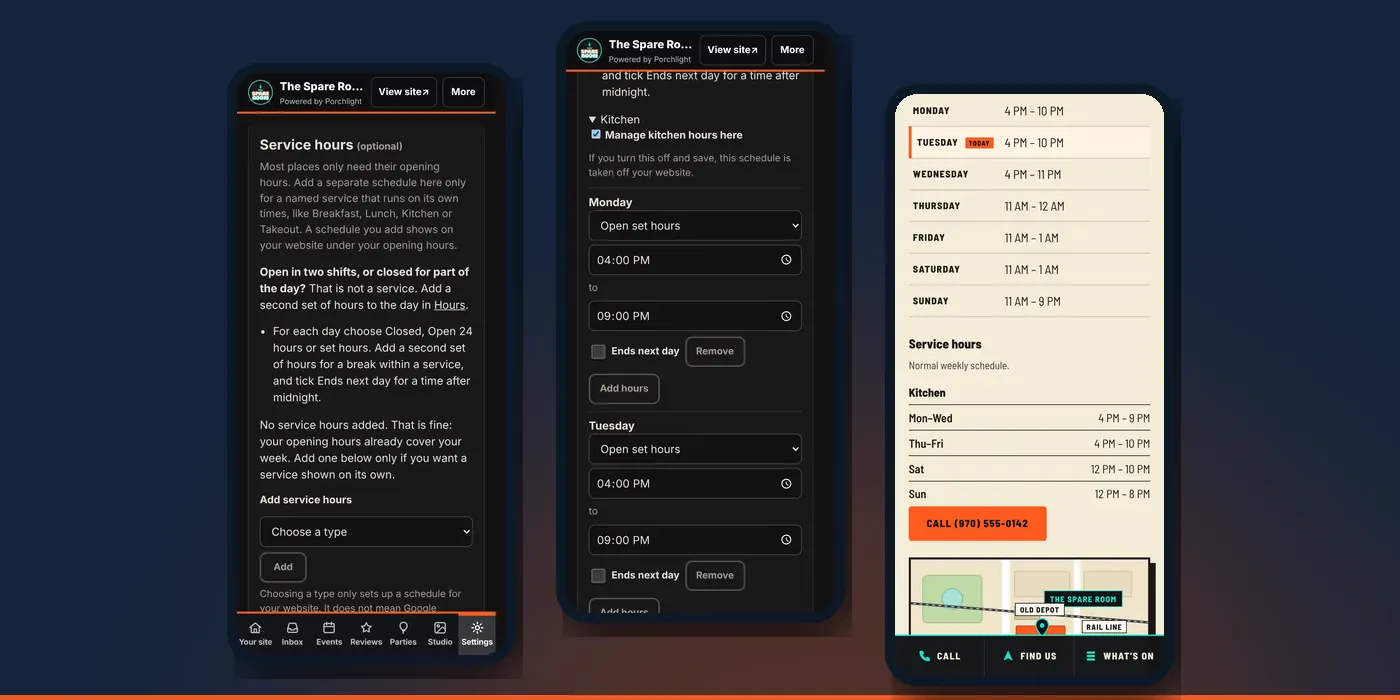
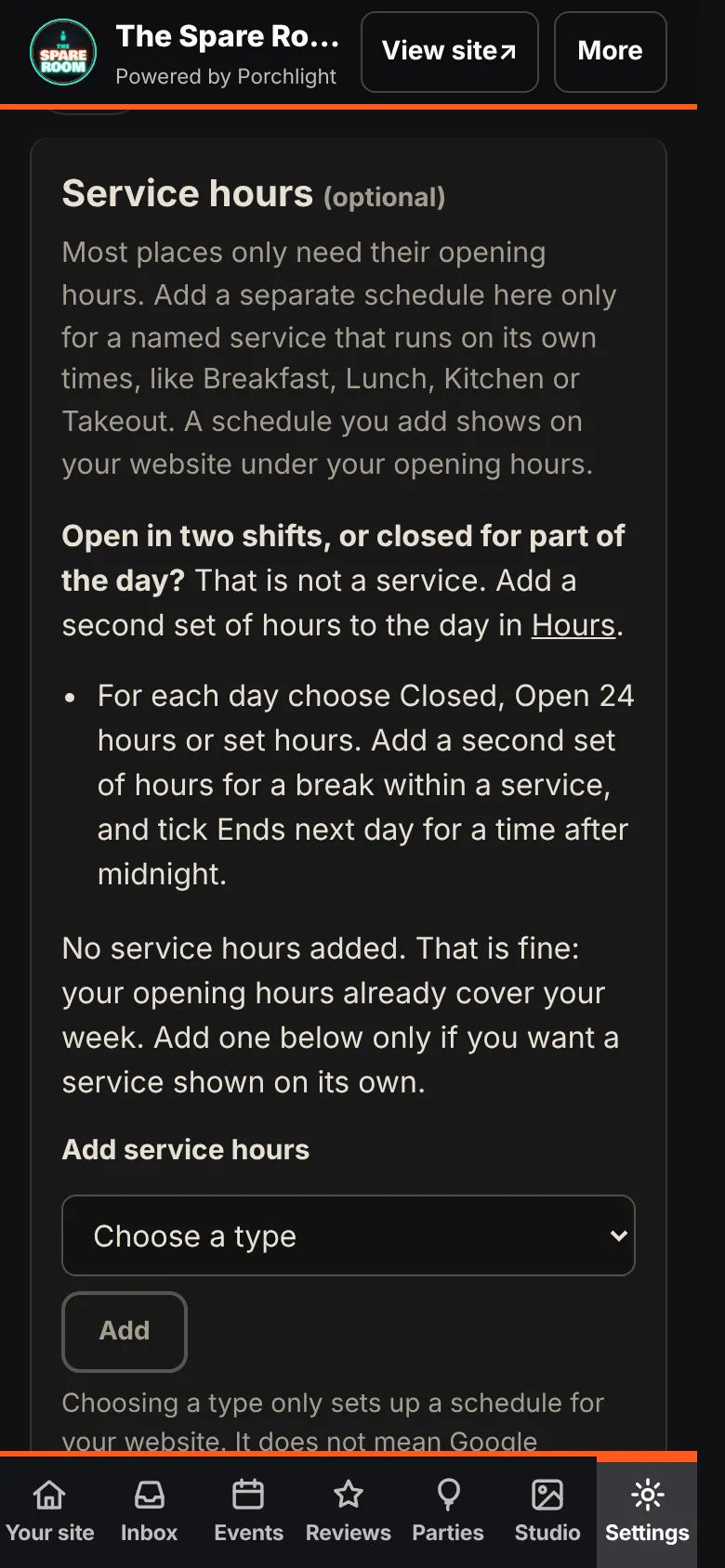
1. Open service hours. In the manager, go to Your site, choose Hours, and tap Add service hours. It opens the Service hours part of Settings.
2. Choose a type. Under Add service hours, pick one, such as Kitchen, and tap Add.
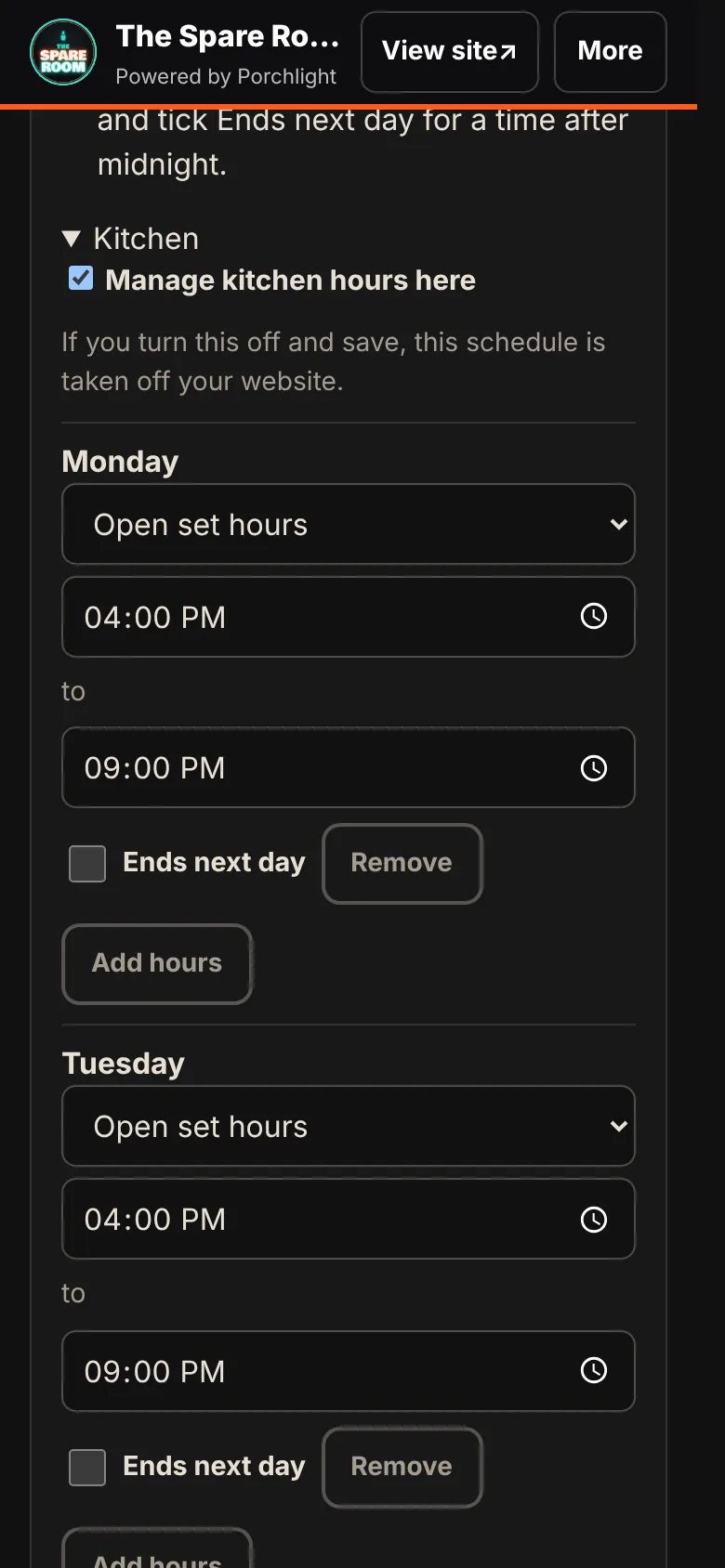
3. Set each day. For every day choose Closed, Open 24 hours or Open set hours, then the times. Tick Ends next day for a time after midnight. If the kitchen closes for a break, Add hours gives that day a second set.
4. Save. Tap Save service hours to website. Nothing changes until you do.
What customers see
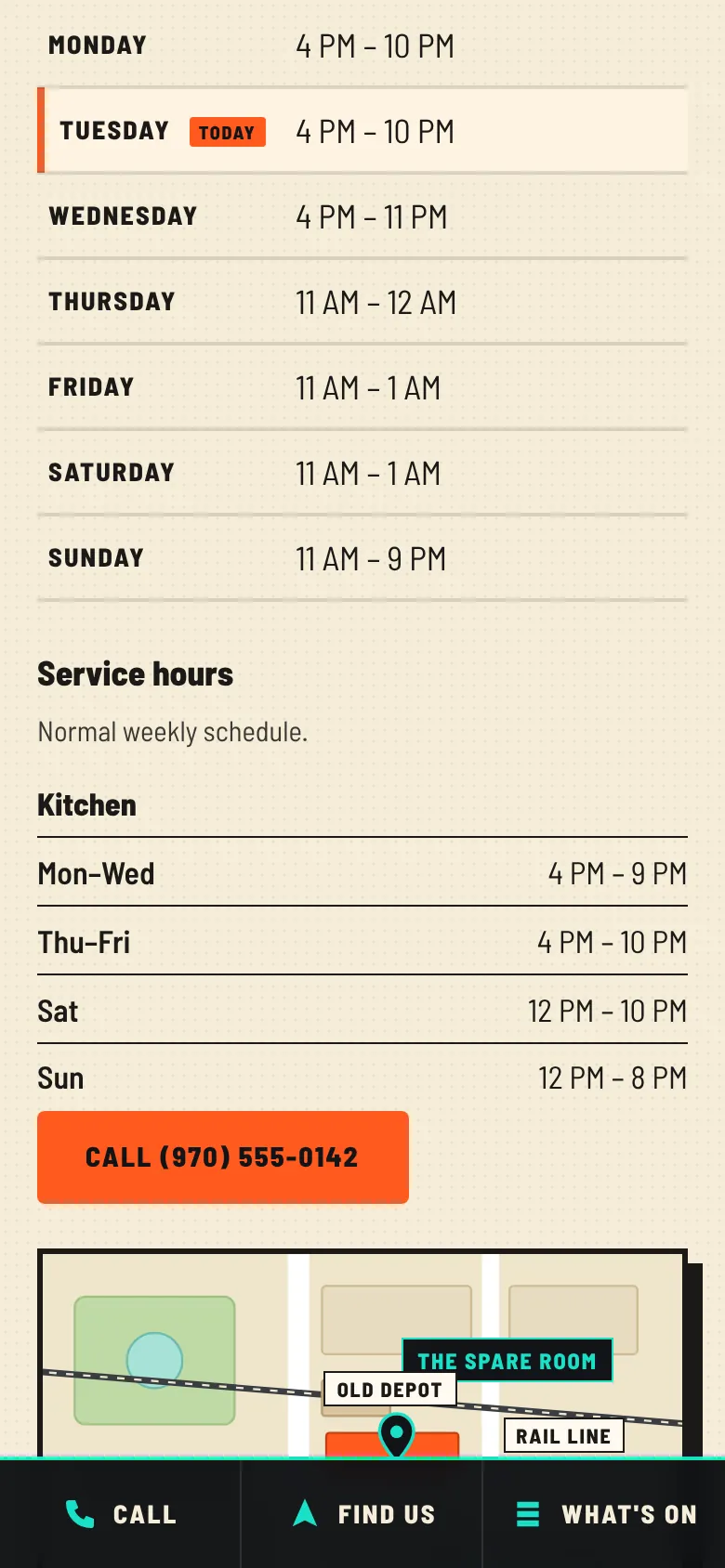
Your site shows a Service hours block under your opening hours, with days that match grouped together: Mon–Wed 4 PM to 9 PM, and so on. Your opening hours and your open-now line stay exactly as they were.
You can add more than one: breakfast and kitchen, or dinner and takeout. To take one off your site, untick Manage kitchen hours here (or whichever service it is) and save.
Your Google listing
On Connected and up, with your Google listing connected, the same save is ready to update your listing too. Choosing a type sets up a schedule for your website; it doesn't mean Google shows that type for every kind of business. If Google isn't connected, the section says so, and the hours are saved to your website only.
Good habits
- Use the name customers use. If people say "the kitchen," choose Kitchen, not Dinner.
- Check the last hour. If the grill shuts at 9 but you take orders until 8:45, put 8:45.
- Change it with the season. Winter hours are a two-minute edit, not a new website.
What this doesn't do
Service hours don't change your opening hours, your open-now line or your menu. Temporary hours and Closed today? change your opening hours, not the kitchen's: while they're on, your site adds a line under the service hours telling customers a service may not be running and to check the hours or call. For a holiday, see setting holiday hours ahead of time.