Band and Party Inquiries Without the Email Pile
Bands and party hosts ask through forms on your site. Every request lands in one place, with your calendar for that day right next to it.
Venue and up
In this article
Booking by email, Facebook message and voicemail means the details live in four places. The band's date is in one thread, their link in another, and nobody remembers whether Saturday already has a birthday party in the back. Things get double-booked or forgotten, and good acts stop asking.
Porchlight gives bands and party hosts a form on your website, checks the date against your calendar, and keeps every request in the manager until you deal with it.
What they fill in
The band form asks for the act's name, what they sound like, a link to hear them, the date and time they want, up to three other dates, their size, and a name, email and phone number. They can add band photos and special requests.
The party form asks for the occasion, the date and start time, how many guests, which space they'd like and how to reach them.
Both forms check the basics before anything is sent: a real email, a phone number with an area code, a date that isn't in the past. You get an email when a new one arrives, and the manager shows a count on Events or Parties.
Band inquiries
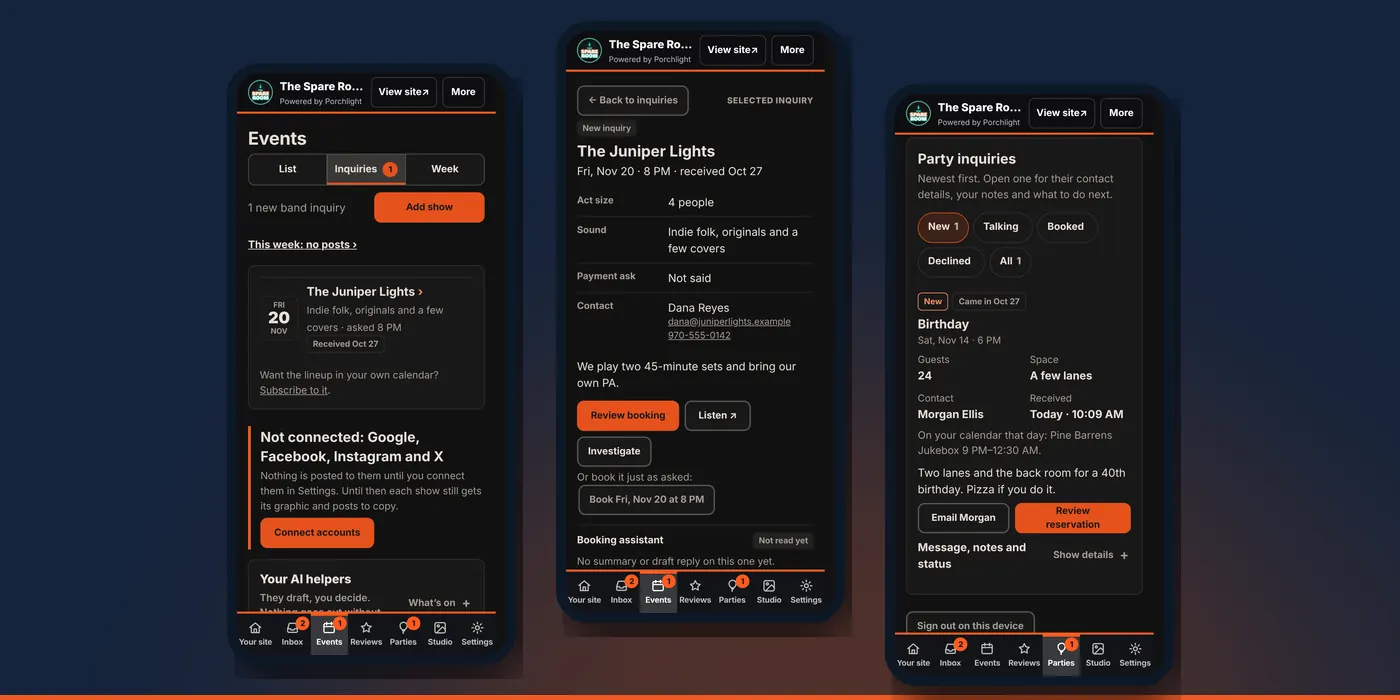
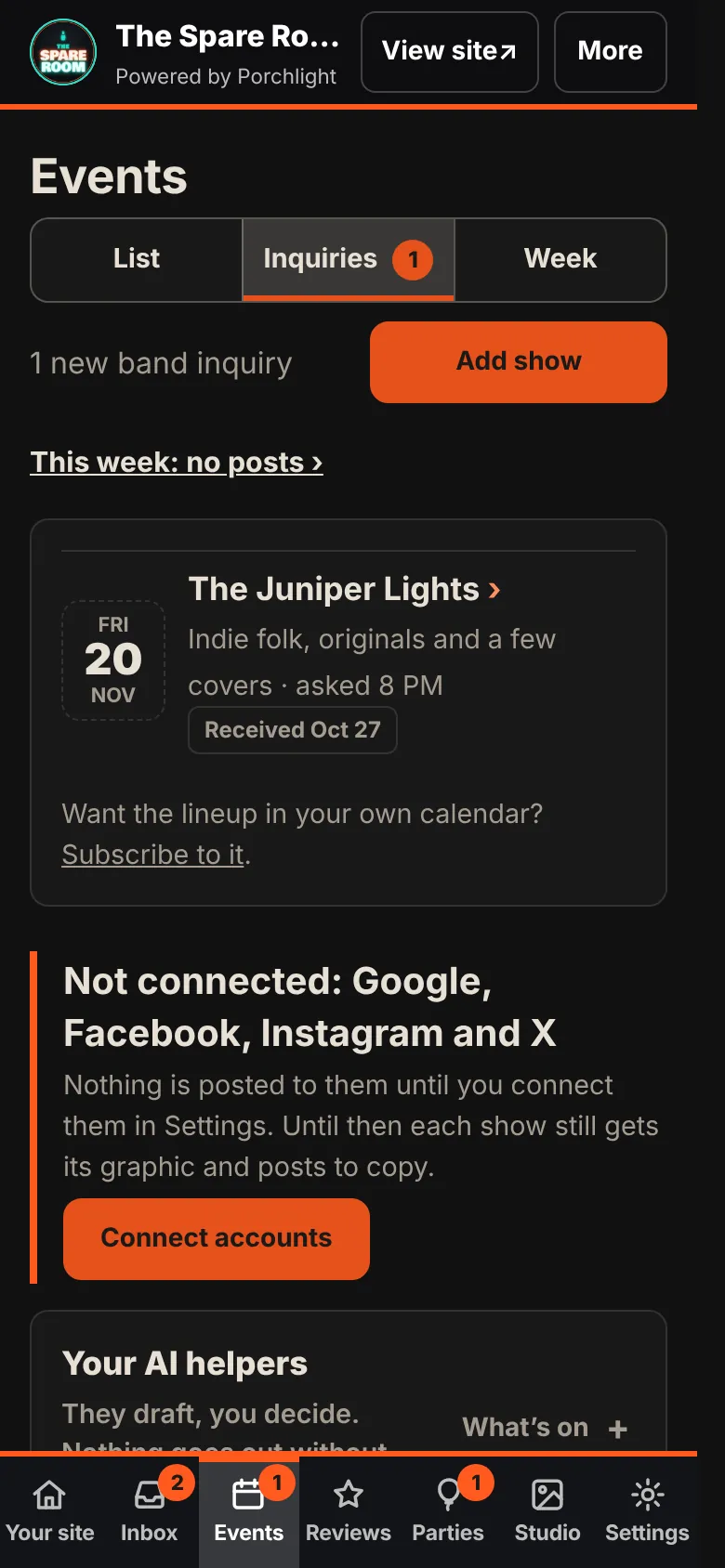
1. Open Events and tap Inquiries. Each request shows the act, the night they asked for and when it came in.
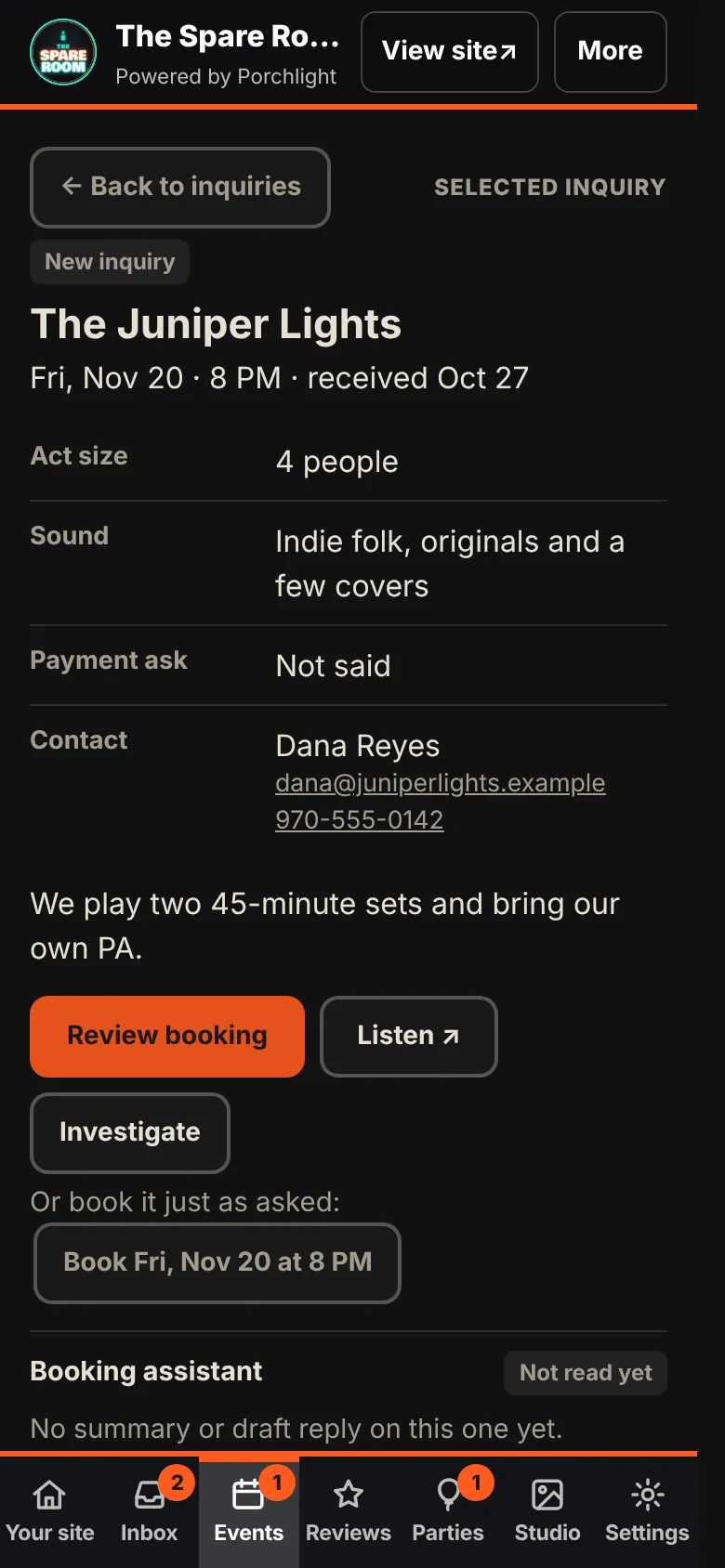
2. Open one. You see the act's size, their sound, what they're asking to be paid if they said, their contact details and their message. Listen opens their link. Investigate looks the act up for you.
3. Book it, or don't.
- Book with the date they asked for, in one tap.
- Review booking to change the date or time first. The form is already filled in from their request, links included. Tap Book it and the show goes on your website.
- Say no if it's a no. A short, polite reply is written for you to change and send from your own email. Saying no to a band walks through it.
- Delete inquiry clears it. That doesn't send them anything.
Nothing is sent to the band when you book. Reply to them yourself so they know.
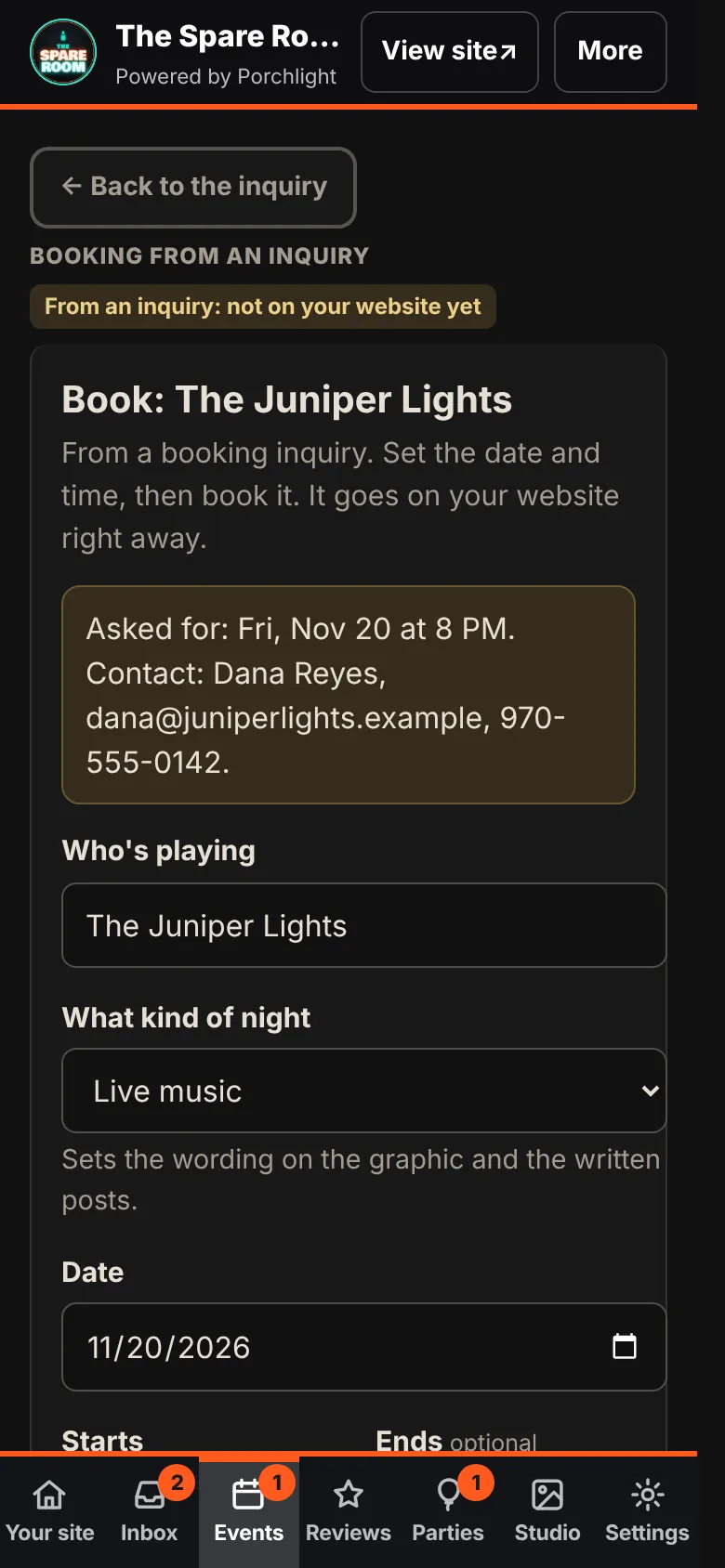
Once it's booked, it's a show like any other. See adding a show for the graphic and the posts.
Party inquiries
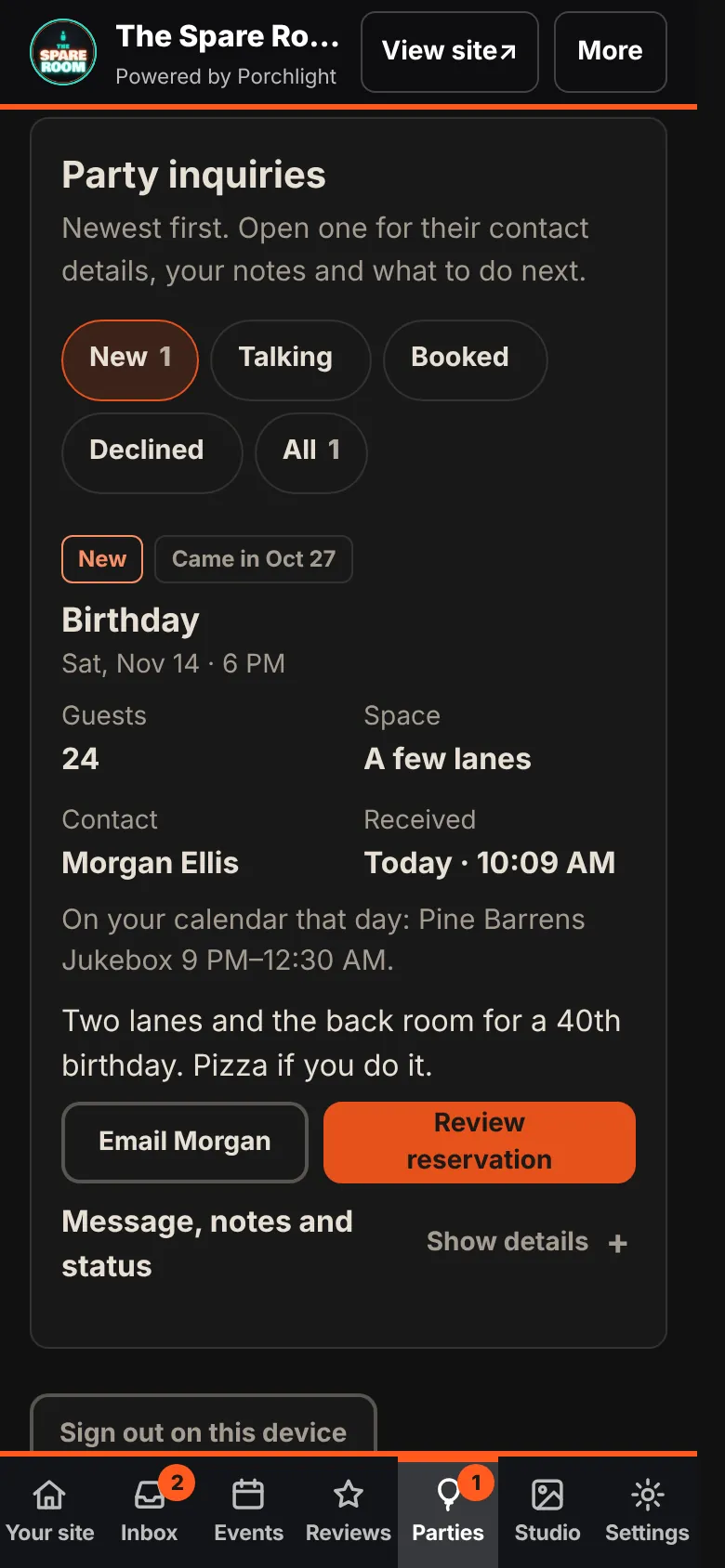
1. Open Parties. Requests are grouped as New, Talking, Booked and Declined.
2. Read the card. The occasion, date, time, guests, space and contact, plus On your calendar that day: anything already booked, so you know before you reply whether the band starts at 9.
3. Reply. Email plus their first name, such as Email Morgan, opens your own email app with their address and a subject line filled in. When you've replied, move the party to Talking under Message, notes and status. Opening an email doesn't change the status on its own. Notes you add there stay with the party.
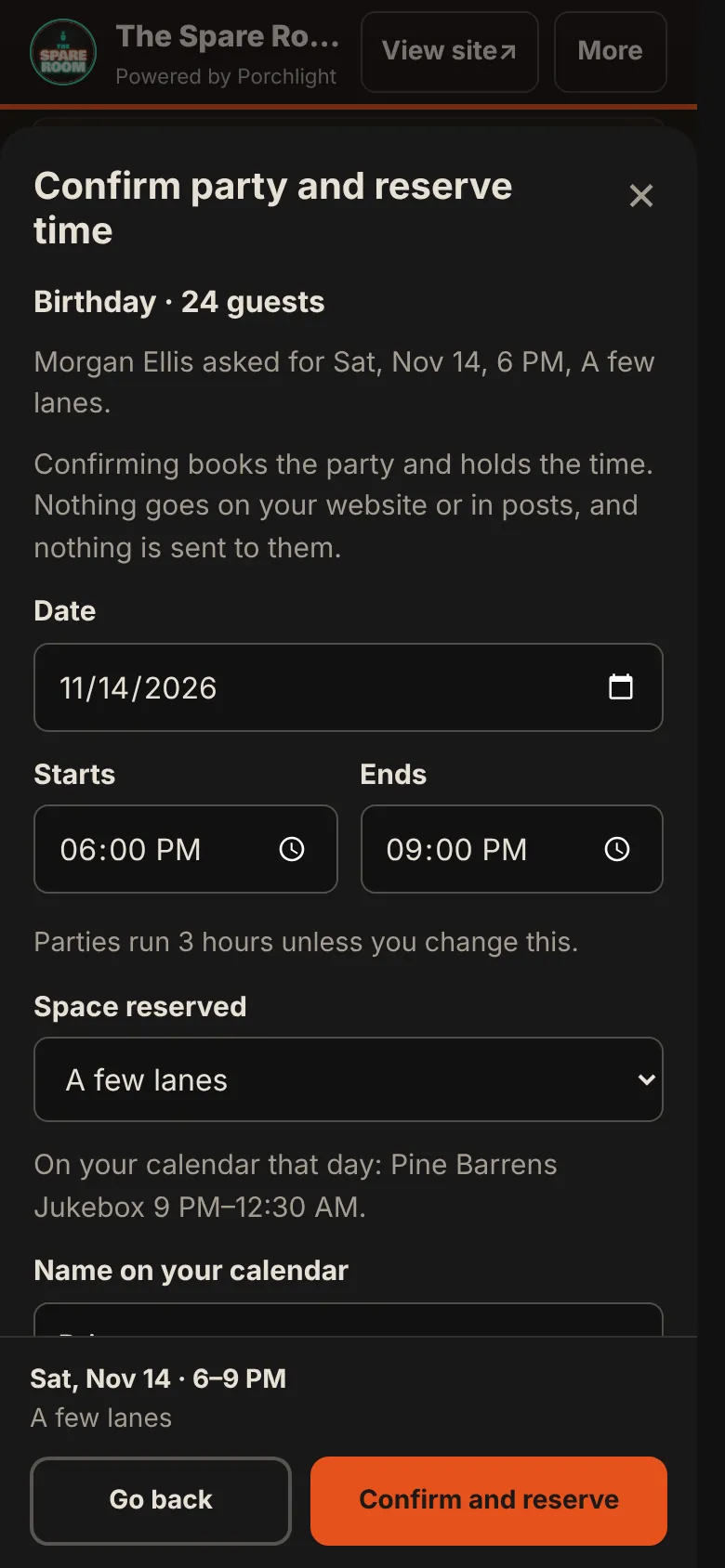
4. Confirm. Review reservation lets you set the date, start and end (three hours unless you change it) and the space. Confirm and reserve books the party and holds that time on your calendar.
A booked party never shows on your website or in your posts, and nothing is sent to the host. It just keeps the time from being booked twice.
When dates collide
The manager checks every request against your shows, your weekly nights and booked parties, and each request shows what's already on that day. Booking logic in Settings decides what counts as a clash for your room; depending on it, the band form can also turn away a night you've set aside, such as a weekly event. A clash when you book shows up as a heads-up before you save. You still make the call.
What this doesn't do
It doesn't reply to anyone, send contracts or take deposits. Every yes and no goes from you. Requests stay in the manager until you book, decline or delete them.