Specials and Weekly Nights: Keep the Chalkboard Current
Put up today's special in four taps, set the ones that repeat every week once, and let them take themselves down.
Every Porchlight plan
In this article
The chalkboard by the door works because it's current. A website special from three weeks ago works against you: it tells customers the site isn't kept up, and makes them doubt everything else on it.
Porchlight splits this into two kinds of changing information. Today's special is for food and drink deals, whether for one day, a stretch of days, or the same days every week. Weekly nights are the recurring things that make your week: trivia, karaoke, the pool league.
Put up a special
1. Open Specials. In the manager, go to Your site and choose Specials. Up now and coming lists what's set, and anything showing right now is tagged On the site now.
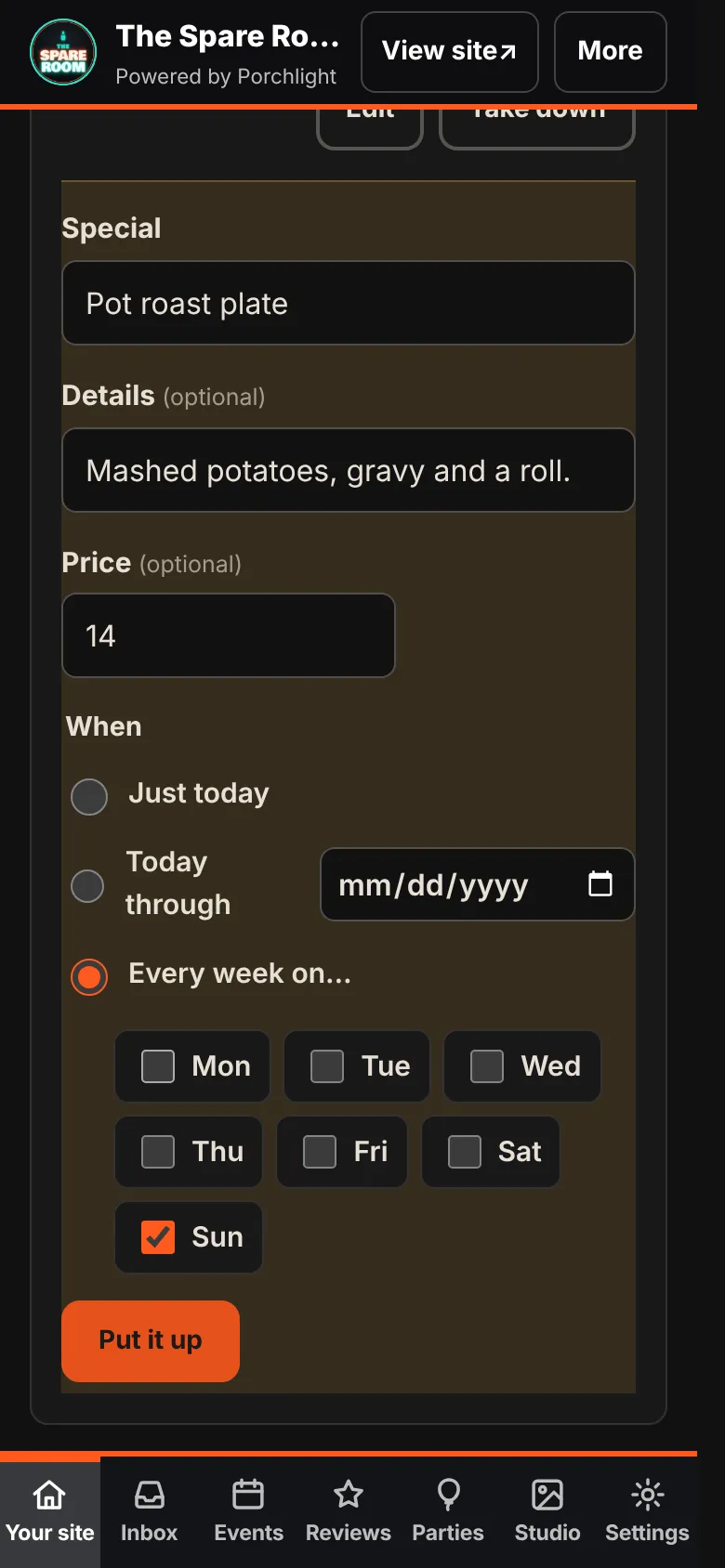
2. Tap Add special. Give it a name, add details if they help, and a price if you want one.
3. Choose when it runs.
- Just today comes down on its own tonight.
- Today through runs until a date you pick.
- Every week on… lets you tick the days, such as Sunday only, or Monday to Wednesday.
4. Tap Put it up. It shows on the chalkboard on your site within a minute.
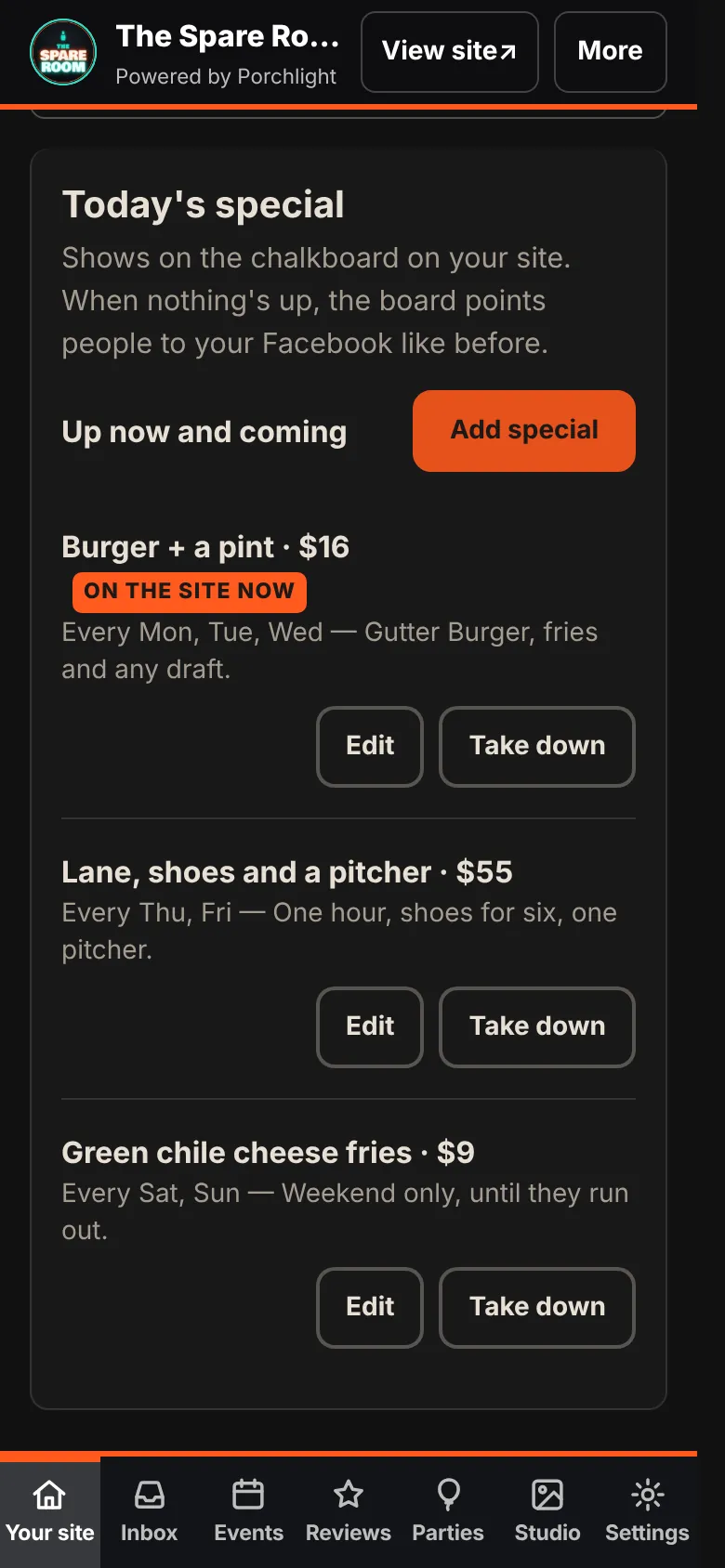
Each special has Edit and Take down. If the kitchen runs out early, take it down and it's gone from the site. When nothing is up, the chalkboard points people to your Facebook page instead of sitting empty.
Weekly nights
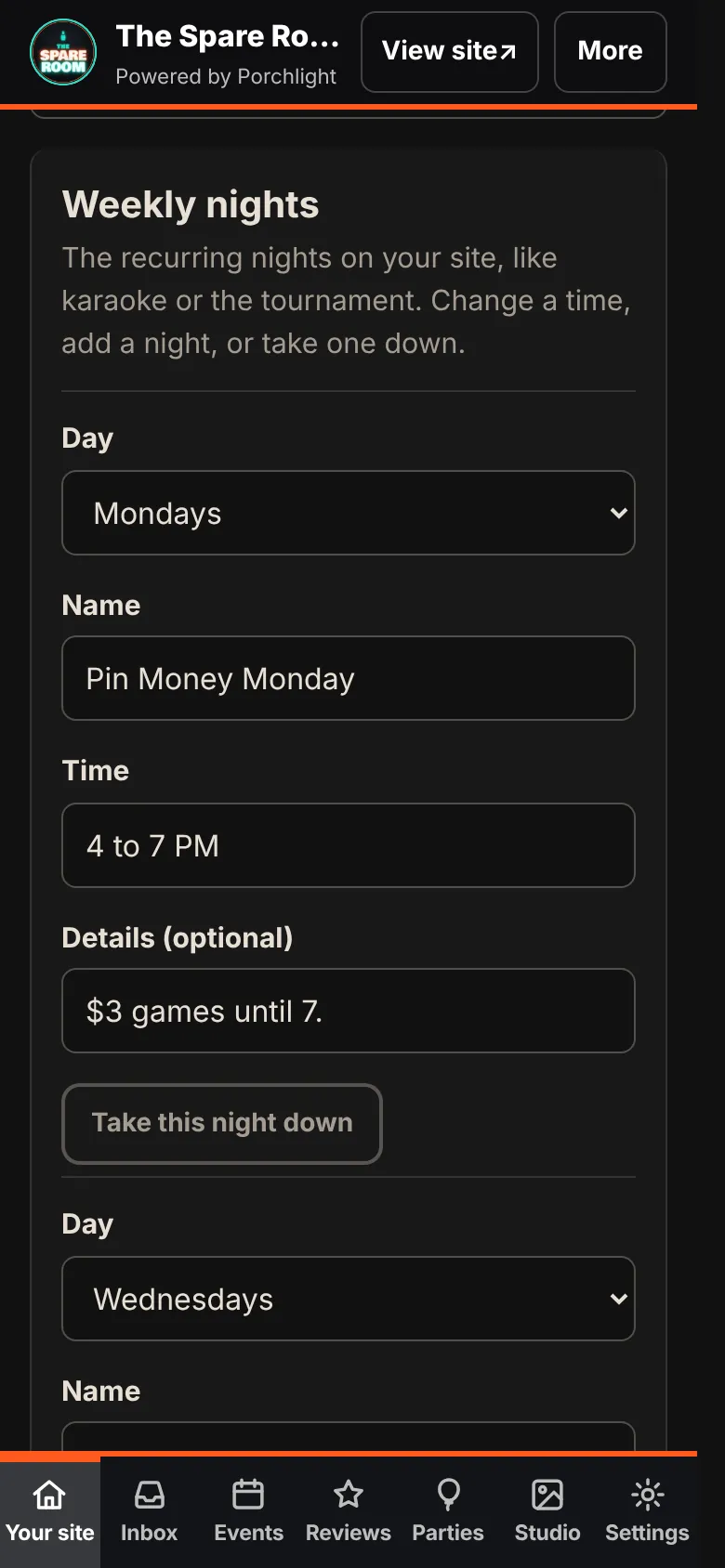
1. Open Weekly nights. In Your site, choose Weekly nights.
2. Each night has a day, a name, a time and optional details. For example: Mondays, Pin Money Monday, 4 to 7 PM, "$3 games until 7."
3. Change what's different. Moved trivia from Tuesday to Wednesday? Change the day. Adding a night? Tap + Add a night. Season over? Tap Take this night down.
4. Tap Save changes in the Unsaved changes bar.
What goes where
| It's… | Use |
|---|---|
| A deal or dish for today only | Specials, Just today |
| A deal running until a date | Specials, Today through |
| A deal every Taco Tuesday | Specials, Every week on… |
| Trivia, karaoke or a league every week | Weekly nights |
| A one-time band, game or party | Events, on the Venue plans |
| A price on the regular menu | The menu |
Weekly nights are for things that repeat. A one-off event is a show, and shows live in Events, where they get their own listing, graphic and calendar entry.
What this doesn't do
Specials and weekly nights change your website. Putting one up doesn't post it to Facebook or Instagram. If something is worth a post, post it there as well.